Skip to content

Electric scooter shop

Suits: single-location electric scooter and e-bike shops and dealers that sell on instalments and offer test rides; freelancers and agencies building websites for them

Try the editor (opens a new tab)Edit the content as the site owner would, no sign-in needed; changes are not saved.

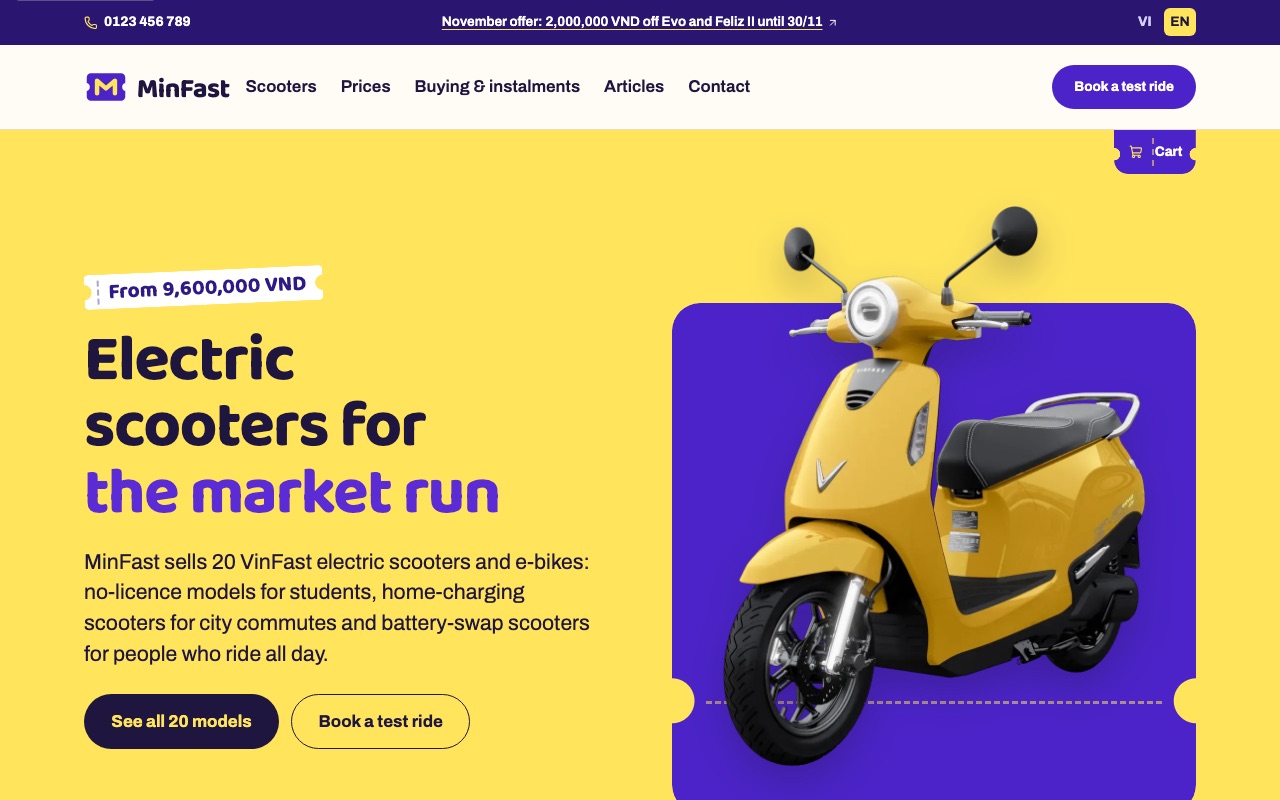
Home page of the Electric scooter shop template
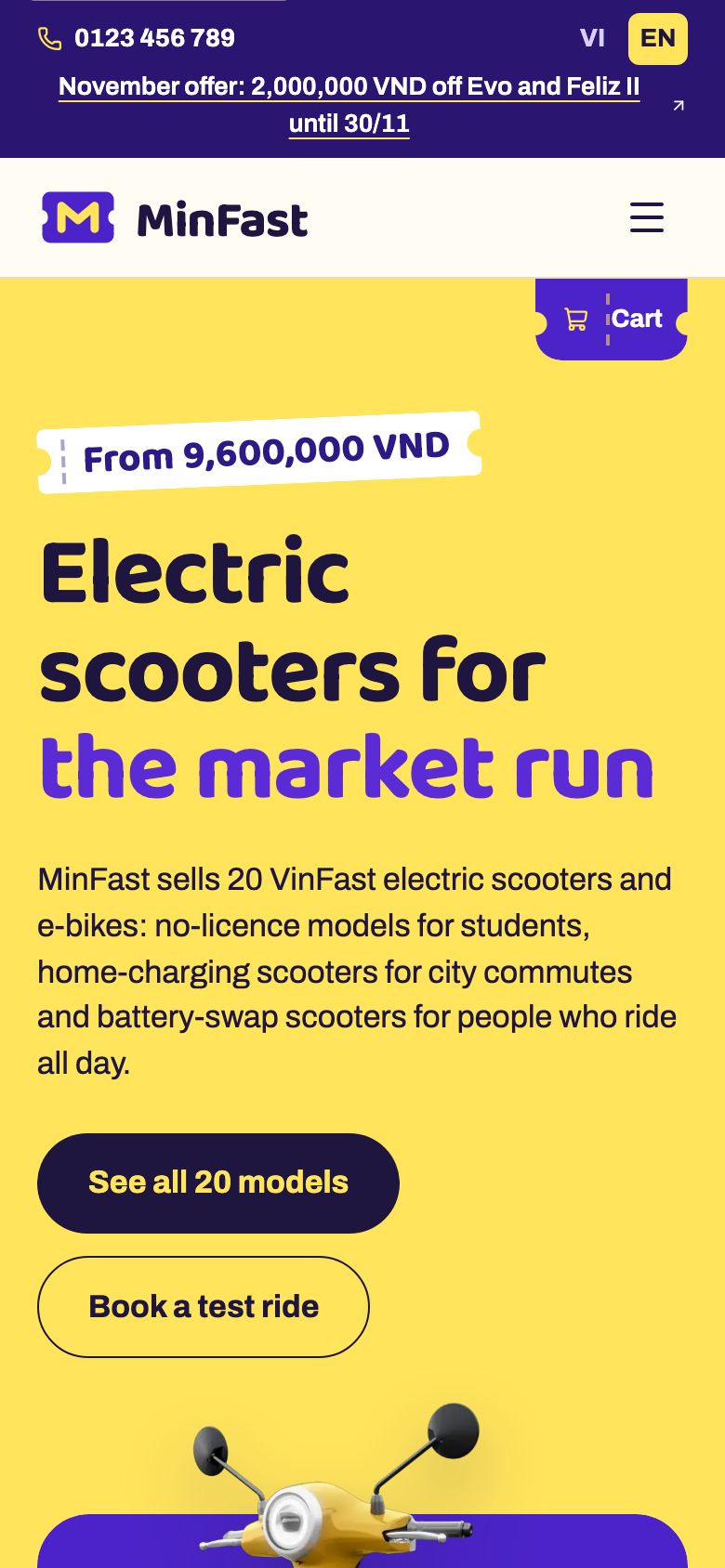
MinFast template home page on a phone, with the phone number and VI / EN buttons in the top bar

Screenshots of the live demo. Tap "View demo" to open the real thing.

What the template solves

Three questions customers often ask, answered in this electric scooter website template

Each card is something an electric scooter shop explains every day, and what the template already does about it.

  • With the battery, or with battery rental

    The price list sorts the 20 models into four groups. Battery-swap models carry a "Battery swap" badge and two prices: with batteries, and with rented batteries plus a monthly fee. On each scooter's page, a note under the buy button repeats the price without batteries and the rental fee, and one of the articles works out renting against buying batteries over 3 years.

  • Which scooters need no licence

    A group of its own gathers the 8 models that need no licence, every scooter's specifications table has a licence row, and the test-ride page notes that models over 50 km/h need an A1 licence. One article helps choose a scooter for a student. Which scooter sits in which group is placeholder data: check it against the power of the real scooters.

  • Can I try one, and how much up front

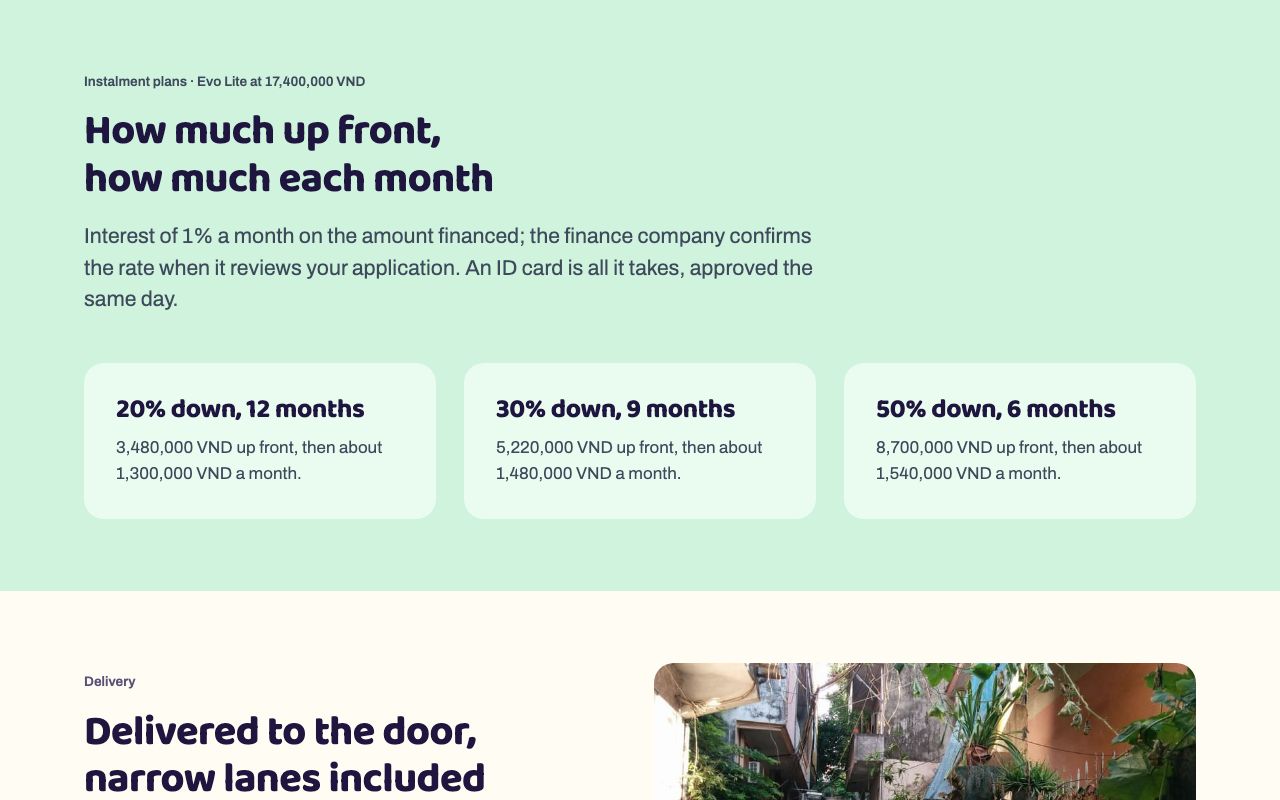
    The Test ride page has 8 models with photos, a month calendar and six time slots; "Book a test ride" on a scooter's page arrives with that model already chosen. The Buying & instalments page has three sample plans (20%, 30% or 50% up front over 12, 9 or 6 instalments) and a form for instalment enquiries. There is no instalment calculator, and the forms run in demo mode until you set a receiving address when you deploy.

Strengths

Why this template

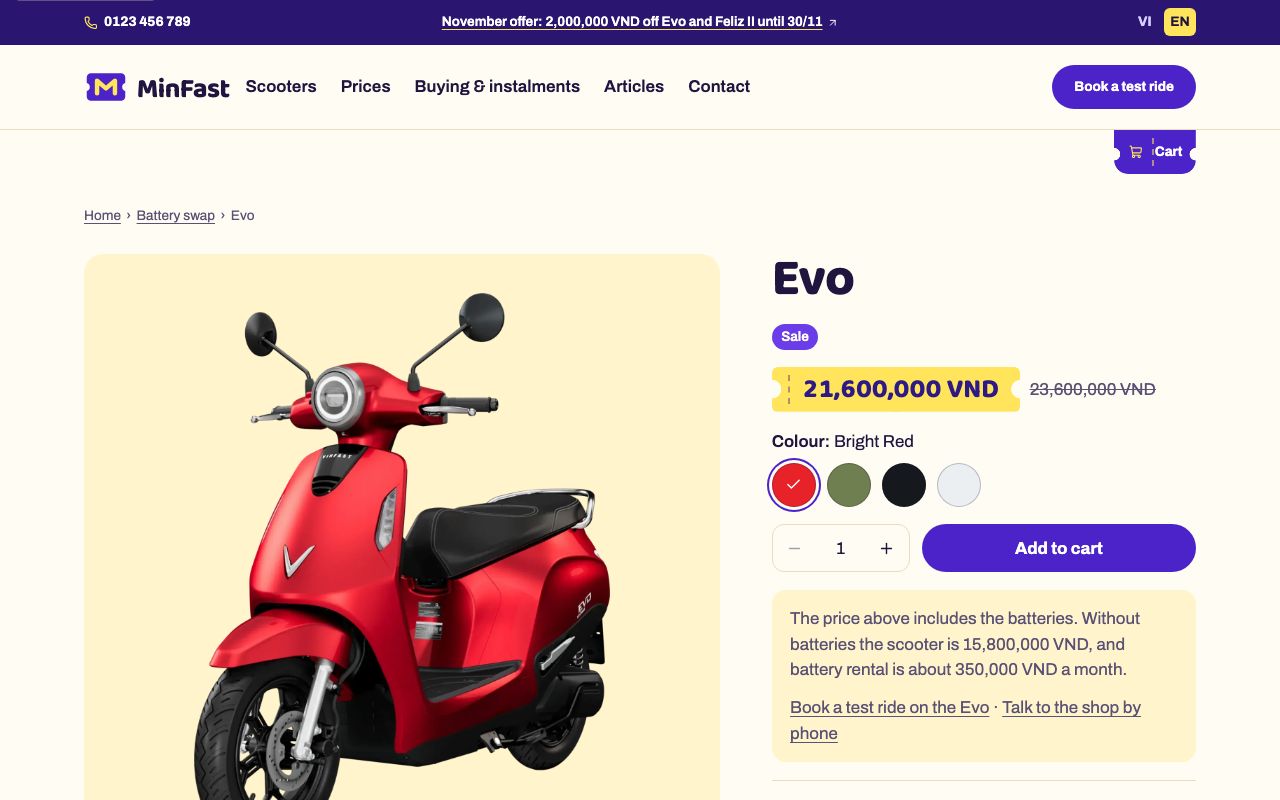
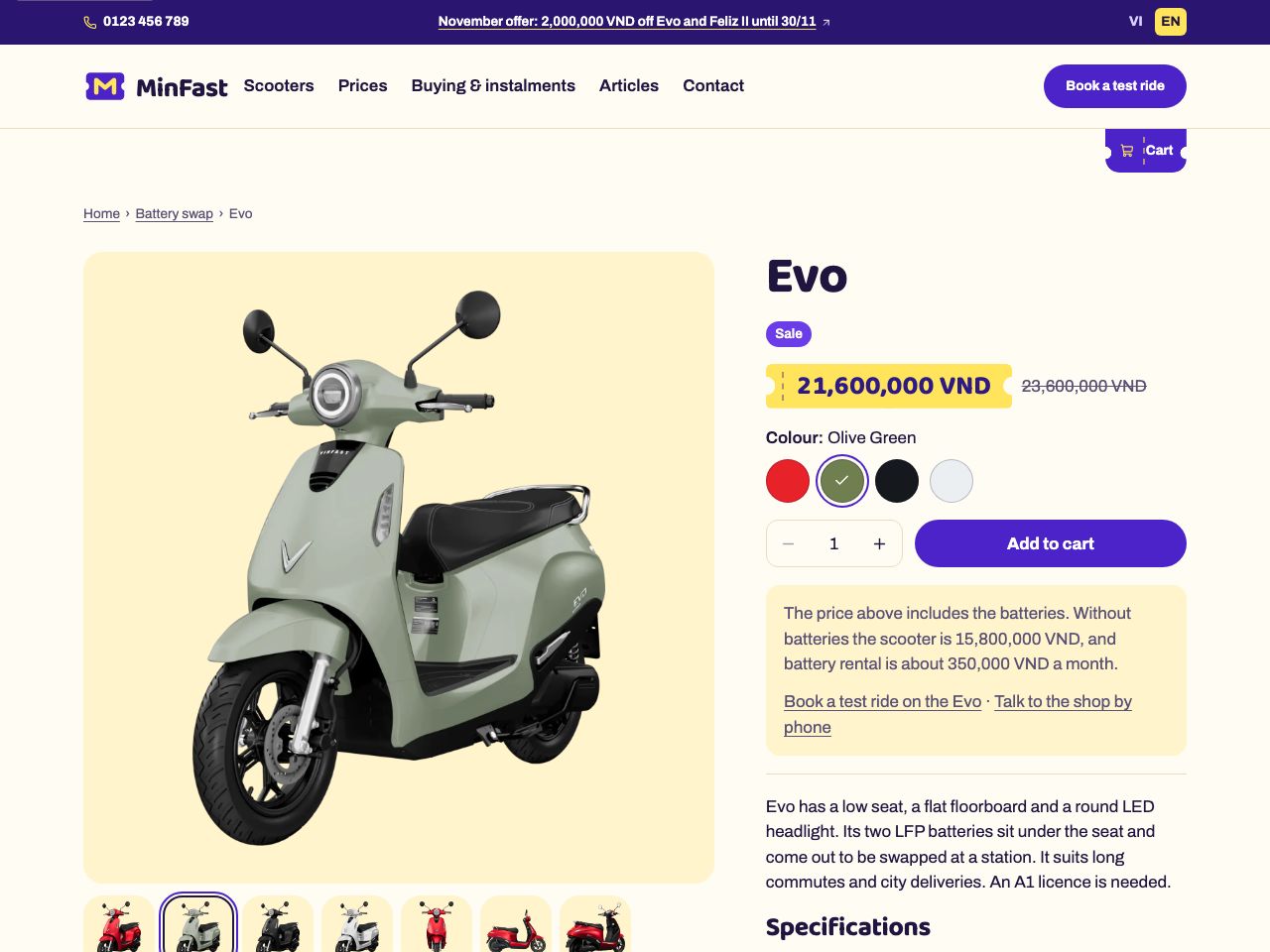
The Evo page with a large photo of the scooter in Olive Green, thumbnails below, the price 21,600,000 VND on a ticket label and the struck-through 23,600,000 VND, four colour dots with the green one chosen, the Add to cart button, the battery-rental note and the Specifications heading

Pick a colour, the photo follows

On a scooter's page each colour is a dot in the paint colour. Picking a dot swaps the large photo to that colour and records the colour in the cart. Below sit a specifications table (range per charge, top speed, motor power, battery, licence) and a note under the buy button with the price without batteries, the monthly battery rental and a link to book a test ride on that model.
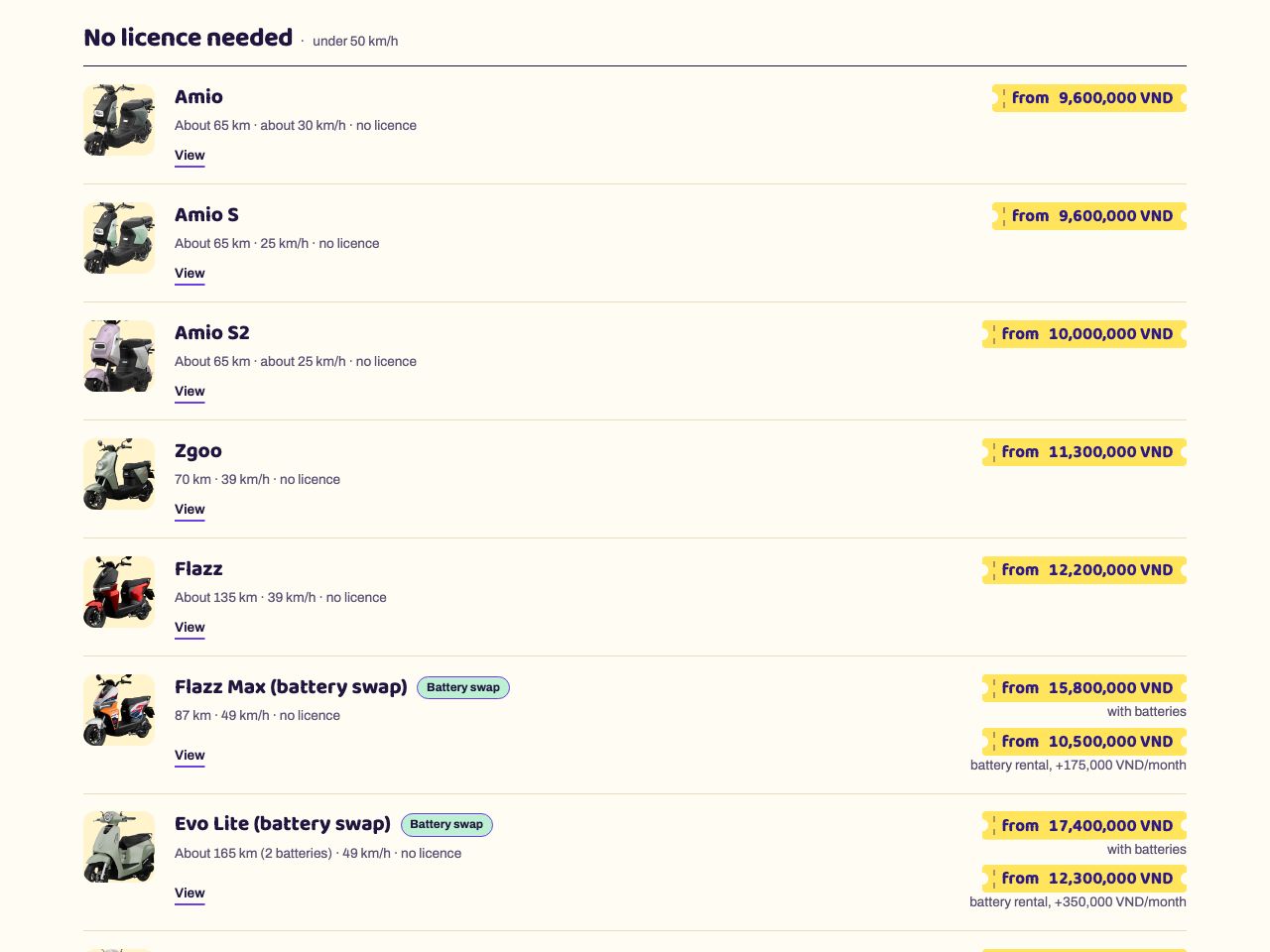
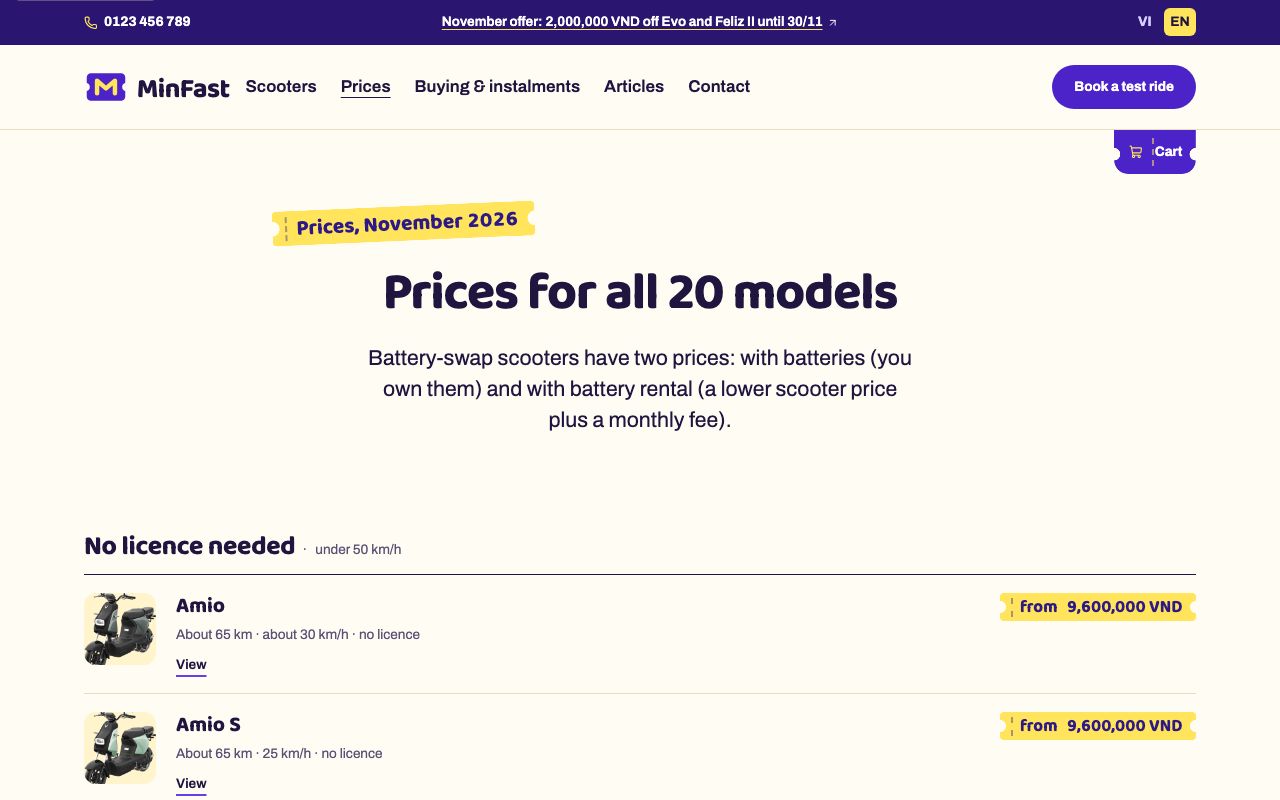
The No licence needed group on the Prices page: Amio, Amio S, Amio S2, Zgoo and Flazz with from-prices on yellow ticket labels, then Flazz Max and Evo Lite with Battery swap badges and two prices, with batteries and with battery rental plus a monthly fee

A price list with both battery prices

The Prices page lists the 20 models in four groups. Each row has a thumbnail, range, top speed, licence and a View link. Battery-swap models carry a "Battery swap" badge and two prices: with batteries, and with rented batteries plus a monthly fee. Every price is edited in the Tina admin.

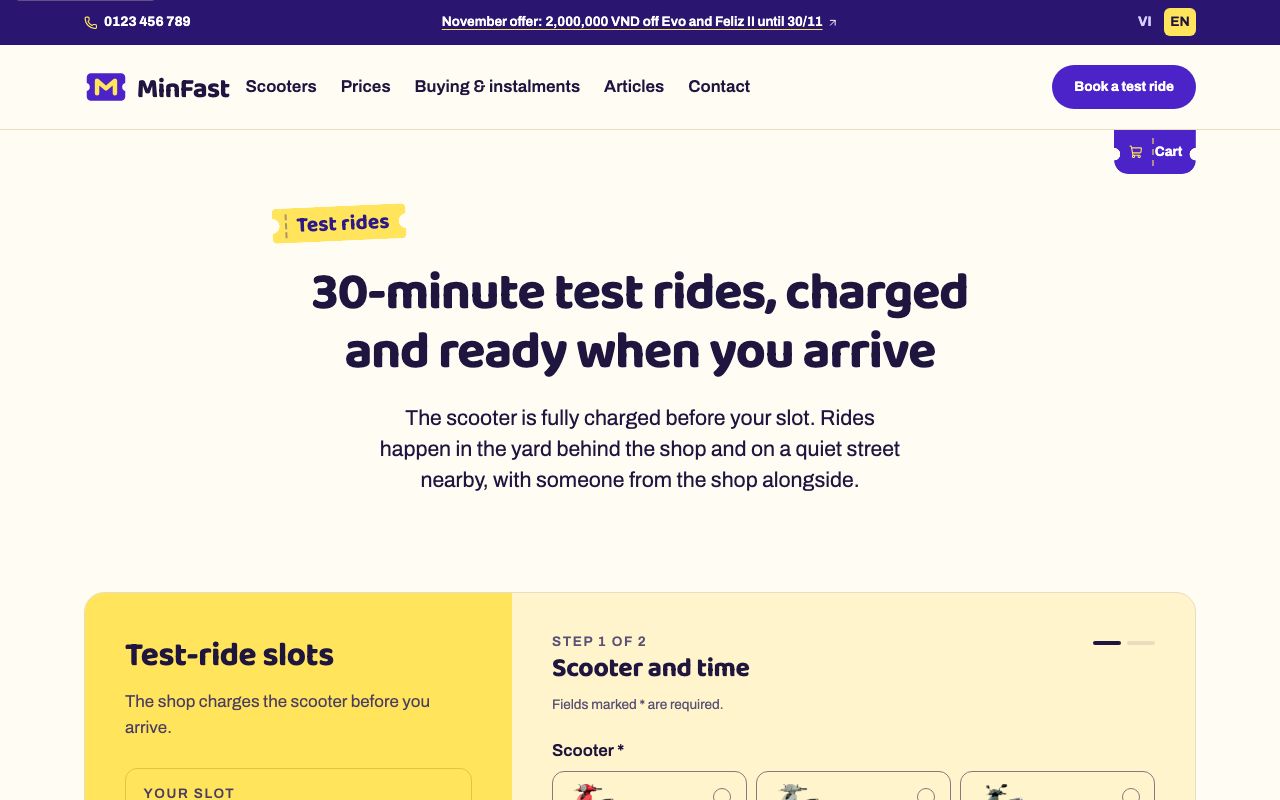
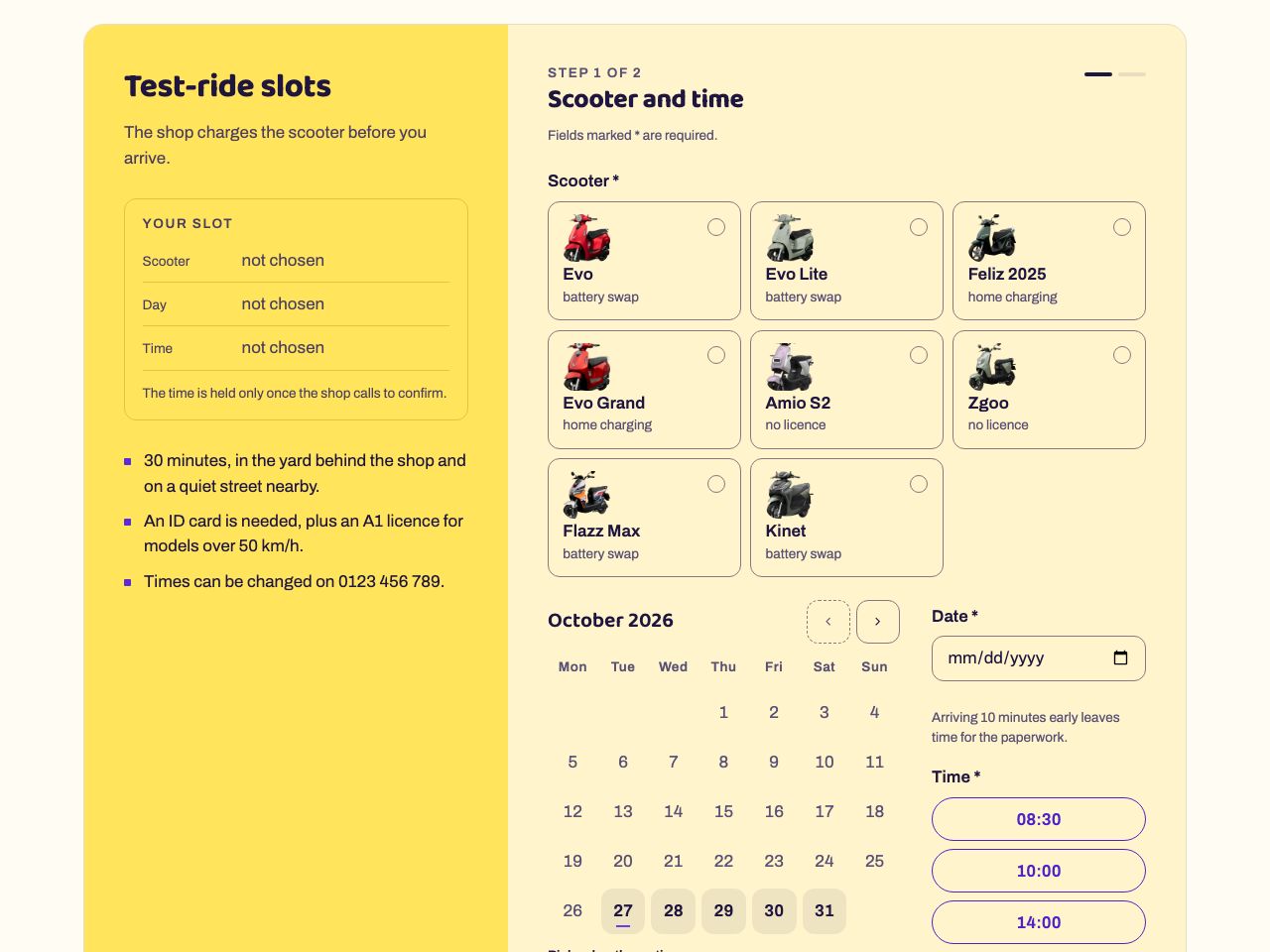
Test-ride slots: a yellow left column with Your slot and three notes, and on the right step 1 of 2, Scooter and time, with eight scooter cards with photos (Evo, Evo Lite, Feliz 2025, Evo Grand, Amio S2, Zgoo, Flazz Max, Kinet), the October 2026 calendar and the 08:30, 10:00 and 14:00 time buttons

Test rides booked by model

The test-ride booking has 8 models with photos, a month calendar and six time slots, up to a month ahead. "Book a test ride" on a scooter's page arrives with that model already chosen. Step two asks for a name, a phone number and a second model to try from all 20. The form runs in demo mode until a receiving address is set when the site is deployed.

Features

What comes with it

Scooters and cart

  • 20 electric scooters and e-bikes in 4 groups: No licence needed, City rides with home charging, Battery swap, E-bikes; each group has its own page
  • Scooter page: a large photo with thumbnails, colour dots that swap the photo, a struck-through price on sale, a specifications table, scooters from the same group
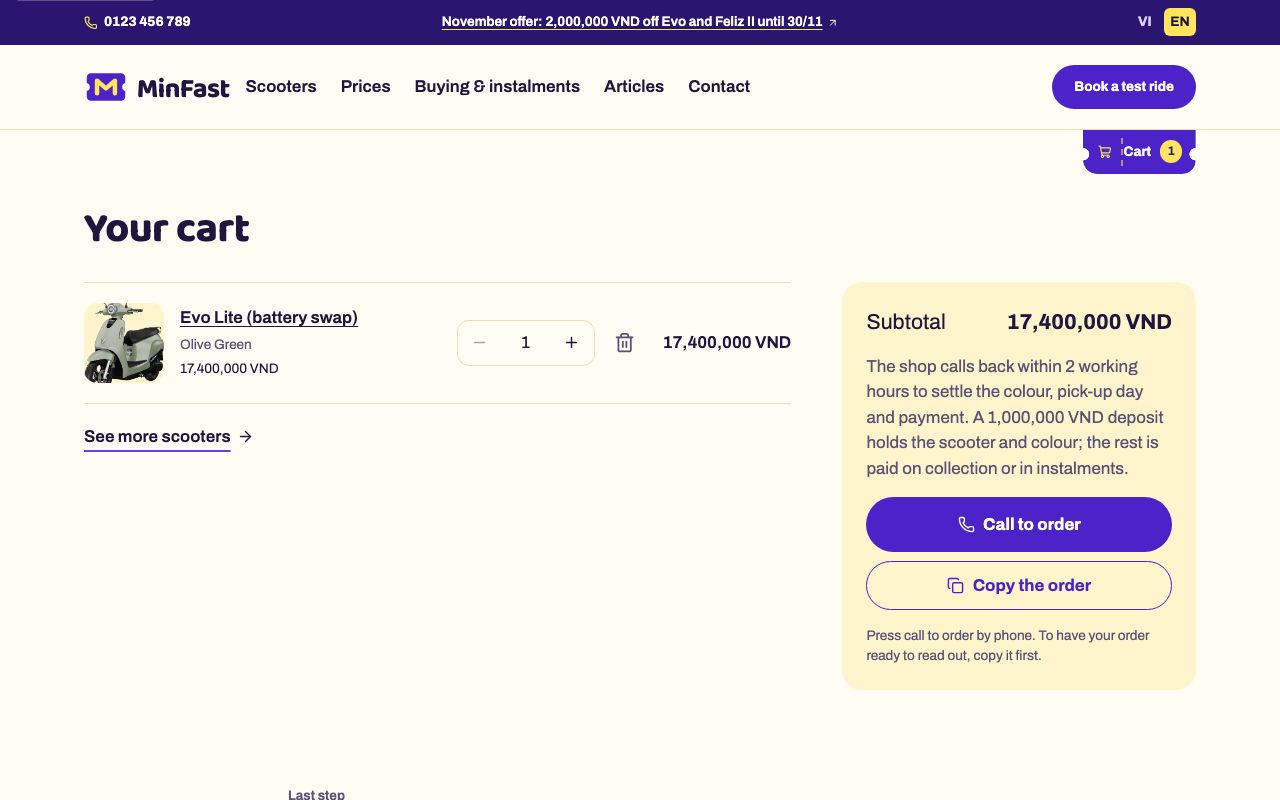
  • A cart kept in the browser that orders by phone, with Call to order and Copy the order buttons; no online payment or deposit
  • A "Delivery details" form under the cart: home delivery or pick-up, and how to pay (in full, a deposit or instalments); the form does not yet send the scooters in the cart

Prices, instalments and test rides

  • A price list in 4 groups; battery-swap models show the with-batteries price and the rental price plus a monthly fee
  • Buying & instalments page: three buying steps, three plans with 20%, 30% or 50% up front over 12, 9 or 6 instalments, home delivery and FAQs
  • Test-ride booking for 8 models, with the model already chosen when booked from its page
  • An advice form with all 20 models on the home, buying and contact pages; every form runs in demo mode until a receiving address is set

Pages and content

  • 13 pages per language: Home, Scooters, Prices, Test ride, Buying & instalments, About, Contact, Articles, Cart and 4 policy pages (warranty, delivery, returns, privacy)
  • 4 articles in 3 categories: a scooter for a student, renting or buying batteries, charging at home, where to swap batteries
  • A top bar with the phone number, the current offer and VI / EN buttons; a Cart tab hanging under the header
  • A contact page with opening hours, the address, call and email buttons

Design, languages and SEO

  • Baloo 2 headings and Archivo text, with full Vietnamese accents; four colour schemes (ivory paper, lemon, violet ink, mint); every price printed on a ticket label
  • The home heading's ending changes (school, work, the market run) and stays still when the device asks for reduced motion
  • Vietnamese and English on matching paths, the English rewritten to read naturally
  • A title and description for every page, hreflang, a sitemap and structured data (JSON-LD) for a motorcycle dealer
  • Content edited in the Tina admin with a preview that updates as you type; the admin interface is in Vietnamese

Pages in the template

The pages, each opens on the demo

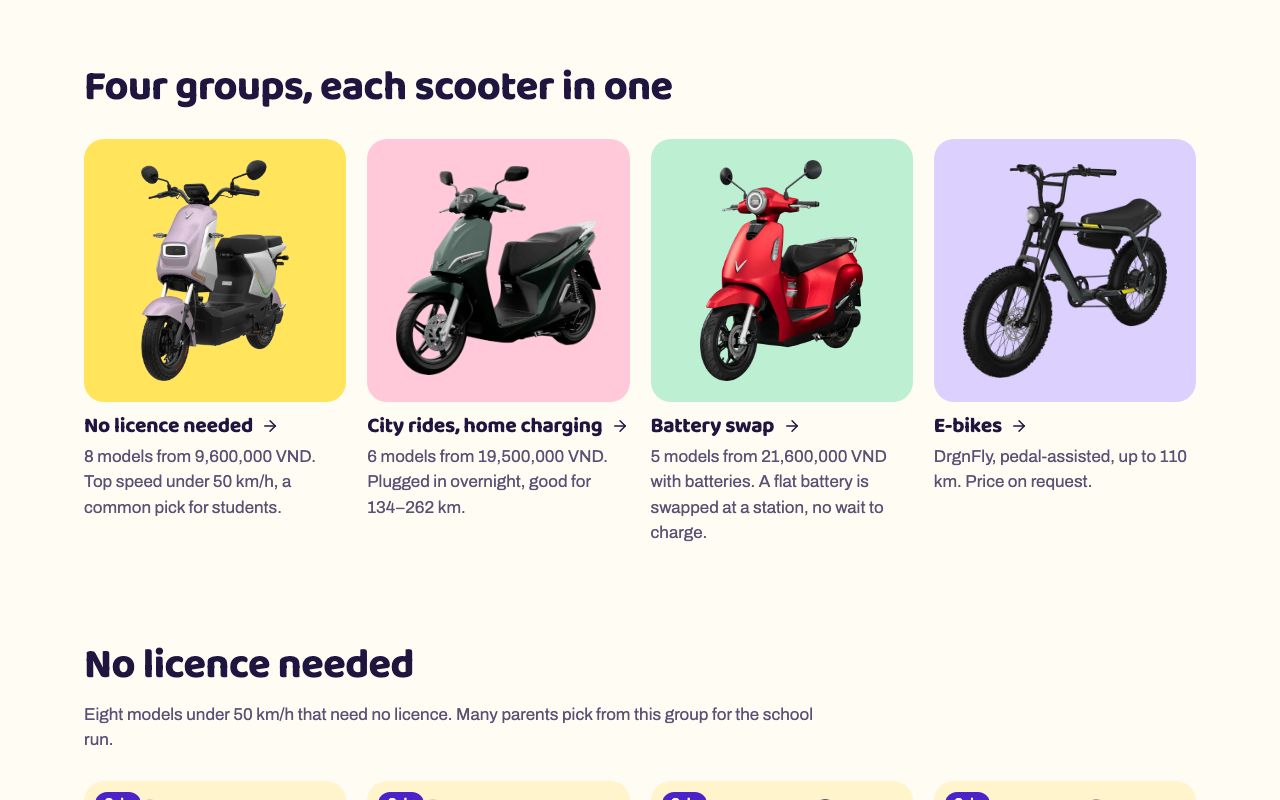
  • Home page of the Electric scooter shop template
    /en

    Home

    A scooter on a violet ticket with the changing heading, four promises, four scooter groups, the 8 most-asked models, a battery-swap strip, swap or charge at home, three buying steps, articles and an advice form.

  • Scooters page of the Electric scooter shop template
    /en/san-pham

    Scooters

    Four group cards, then a grid of scooters with prices for each group and a link to the whole group.

  • Scooter page of the Electric scooter shop template
    /en/products/evo

    Scooter page

    A large photo with thumbnails, colour dots that swap the photo, the price, a battery-rental note, specifications and scooters from the same group.

  • Prices page of the Electric scooter shop template
    /en/bang-gia

    Prices

    20 models in four groups, with-batteries and battery-rental prices, FAQs.

  • Test ride page of the Electric scooter shop template
    /en/lai-thu

    Test ride

    A two-step booking with 8 models, a month calendar, time slots and FAQs.

  • Buying and instalments page of the Electric scooter shop template
    /en/mua-xe

    Buying & instalments

    Three buying steps, three instalment plans, home delivery, FAQs and an advice form.

  • Cart page of the Electric scooter shop template
    /en/cart

    Cart

    The chosen scooters with their colours, the subtotal, call-to-order and copy-order buttons, and the Delivery details form.

FAQ

Worth knowing before you buy

Can I use the prices, specs and scooter photos in the template as they are?

No. The shop name, prices, struck-through prices, specs, offers, battery rental fees, instalment plans, delivery fees, warranty and returns policies, address, phone number and opening hours on the demo are all placeholders. The demo does not label them as samples, so replace every one with your own shop's details before the site goes online; the user guide that comes with the template (in Vietnamese) shows where each one is edited, and a price can sit on several pages without staying in step between them or with the maker's prices. The scooter photos on the demo come from a dealer's site, belong to the maker or that dealer, and are not licensed: before you use them for your shop, ask the owner's permission or replace them with photos you are allowed to use.

Can customers pay or leave a deposit online?

No. Customers add scooters to the cart, which is kept in their browser, then tap Call to order or Copy the order to send it as text. The "Delivery details" form under the cart lets them choose home delivery or pick-up and how they will pay, but it takes no money. The template has no payment gateway, QR code or customer accounts.

Do the test-ride and instalment forms reach the shop yet?

Not yet. The template has four forms (advice, test ride, instalments, delivery details), with required fields and an error message under each field. Until you set a receiving address when you deploy, sending a form only shows a demo-mode notice; once it is set, the forms send their answers to that address. How to set it is in the deployment guide that comes with the template.

Is there an instalment calculator?

No. The Buying & instalments page has three sample plans on one model (20%, 30% or 50% up front over 12, 9 or 6 instalments), FAQs and a form for instalment enquiries. The template is not connected to any finance company; the real amounts, interest and terms come from the finance company you work with, and you edit them in the admin.

Can customers order through Zalo?

Not out of the box. The cart can add buttons that send the order through Zalo or Messenger, but the template leaves both channels empty, so the cart only has the call button. Fill in the Zalo number under Theme → Contact, then add the channel under Theme → Catalog → Order channels in the admin, and the cart gets that button.

Does it suit a shop that sells several brands or has several branches?

You add and edit scooters and groups in the admin, so scooters from other makers can go in; there is no brand filter, scooter comparison or search box. The template is written for one shop: the contact page has one address, opening hours, a call button and a map link, with no list of branches or store finder.

Standards and docs

Shared standards and docs for AI

The 11 shared standards we use to check templates, from working well on phones to docs for AI, are in the FAQ on the Templates page.

The template's source code comes with doc files such as AGENTS.md (the site's handbook for AI), HUONG-DAN-SU-DUNG.md (the guide for whoever edits the content, in Vietnamese) and DEPLOY.md (how to put the site online). AI agents read them to understand the site, then edit it as you ask.

Buy the electric scooter template

A website for your electric scooter shop

Buy this template's source code, with a workflow for going live, docs for whoever edits the site and for AI agents. If you would rather not host it yourself, we offer hosting.

CafeJS concierge

Ask about a template

Hi, I’m the CafeJS concierge. I can help you choose a template by trade, see what it includes and understand how buying works. The only price I can give here is a template’s source code; other services are discussed once you leave your details on the contact form.