Skip to content

Docs site

Suits: studios, freelancers, software companies, SaaS products and anyone selling templates or plugins who needs documentation, a user guide or a help centre

Try the editor (opens a new tab)Edit the content as the site owner would, no sign-in needed; changes are not saved.

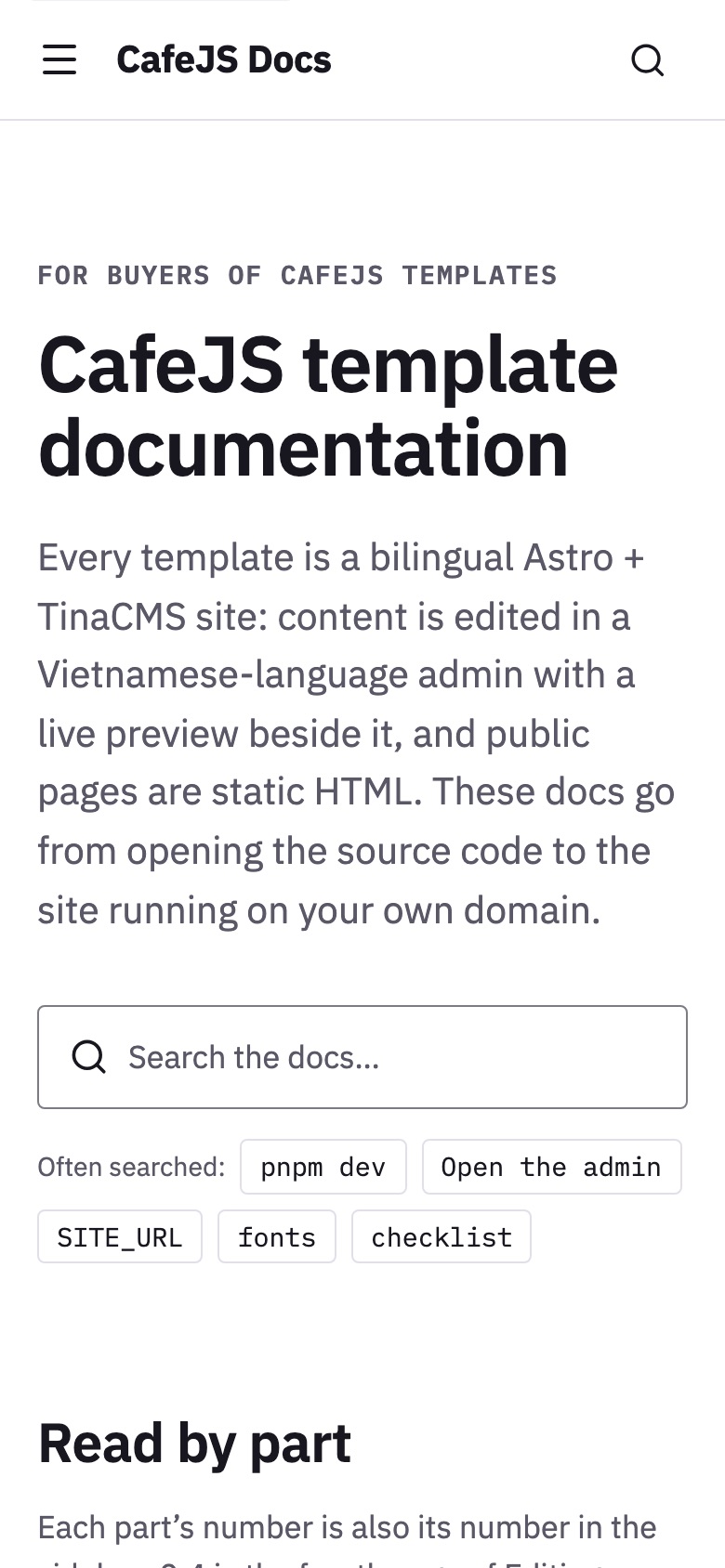
Home page of the Docs site template on a computer
Docs site template home page on a phone

Screenshots of the live demo. Tap "View demo" to open the real thing.

Strengths

Read in columns, search from the keyboard, write in blocks

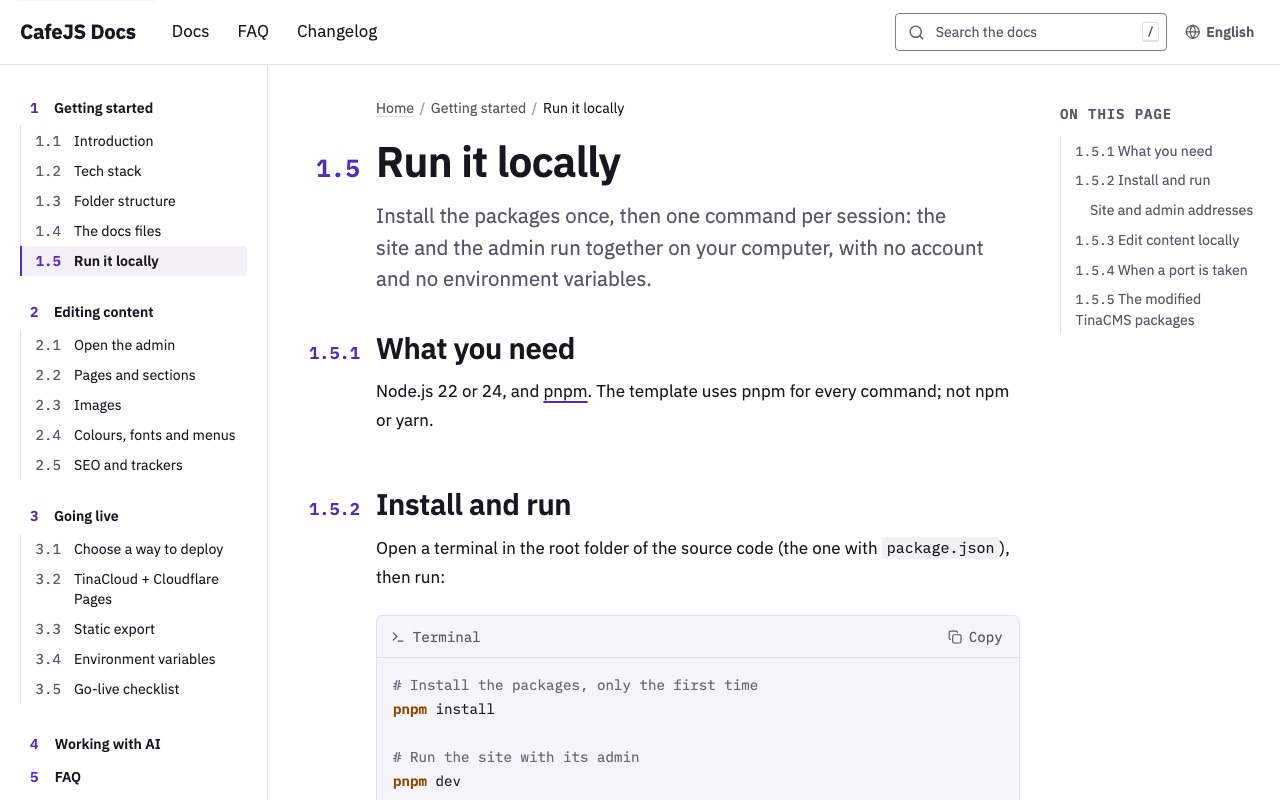
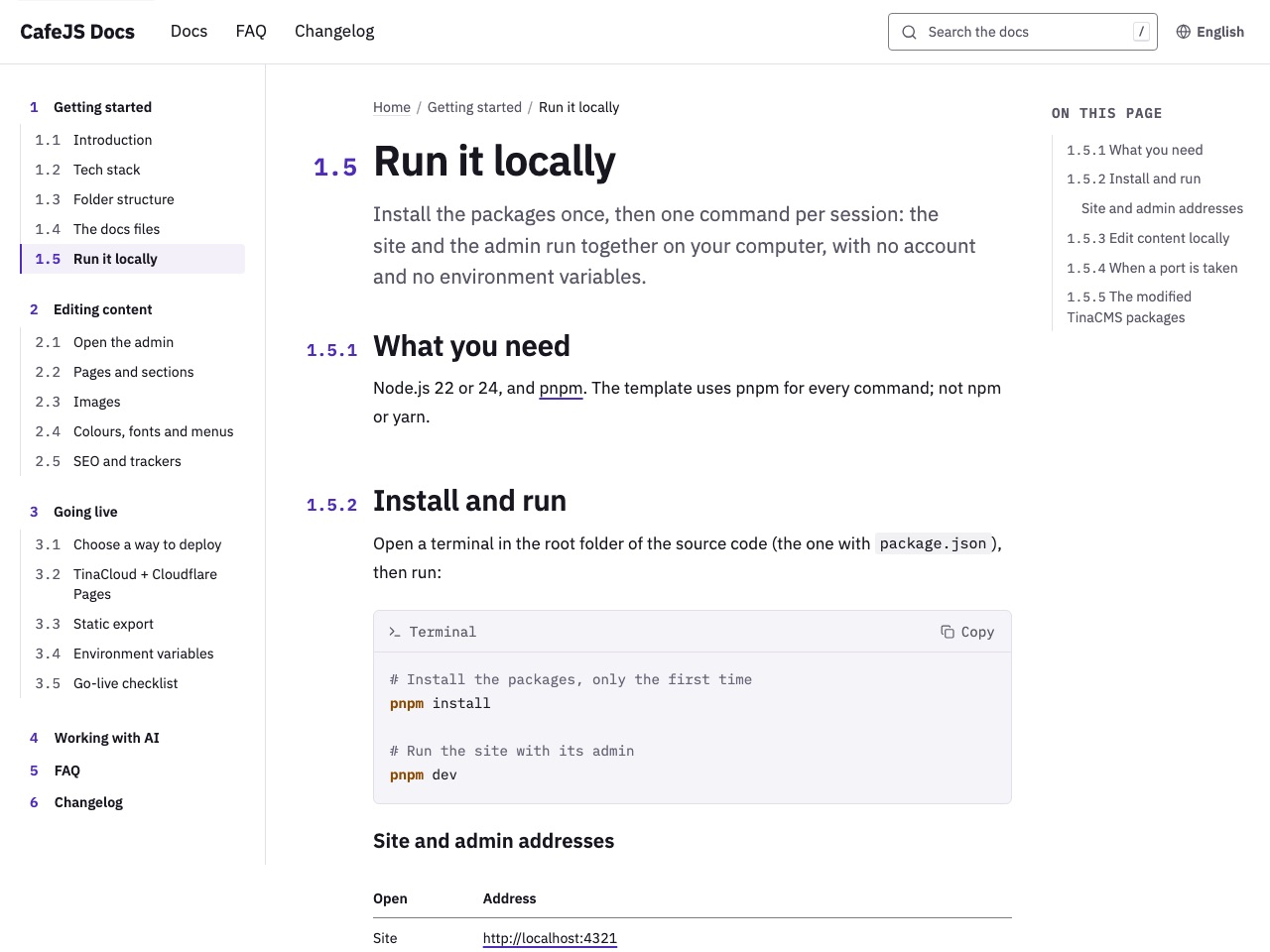
Page 1.5 Run it locally: a sidebar of three groups with 1.5 selected, breadcrumbs, a numbered heading, a Terminal code block with a Copy button and the On this page column on the right

Three-column docs pages, numbered like a book

The sidebar is split into groups and every page has a number (1.5, 2.4) set in the margin, breadcrumbs, an outline built from its h2/h3 headings that marks the section being read, and Previous / Next buttons in sidebar order. The order of groups and pages is edited in the Docs menu in the admin; on a phone the sidebar becomes a drawer and the outline folds up at the top of the page.
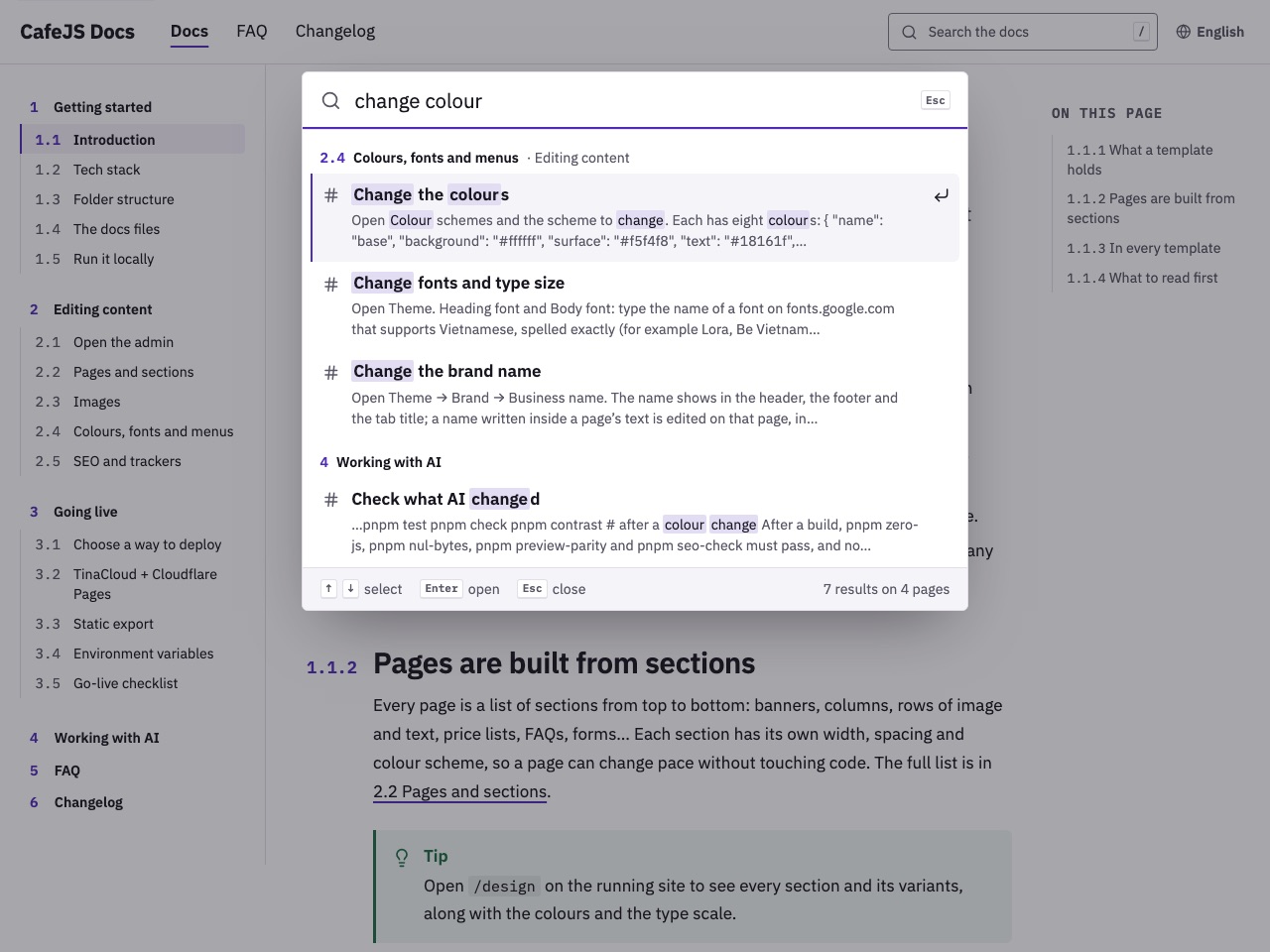
The search box open on the Introduction page with the words change colour: the results Change the colours, Change fonts and type size, Change the brand name from page 2.4, matching words highlighted, and 7 results on 4 pages at the foot

Search that runs on the static pages

The search index is built with the site, one file per language, cut at every section heading. / or Ctrl/⌘ K opens the search box; words typed without Vietnamese accents still match; results are grouped by page, picked with the arrow keys and Enter, and lead straight to the right section. No server, search service or outside library.

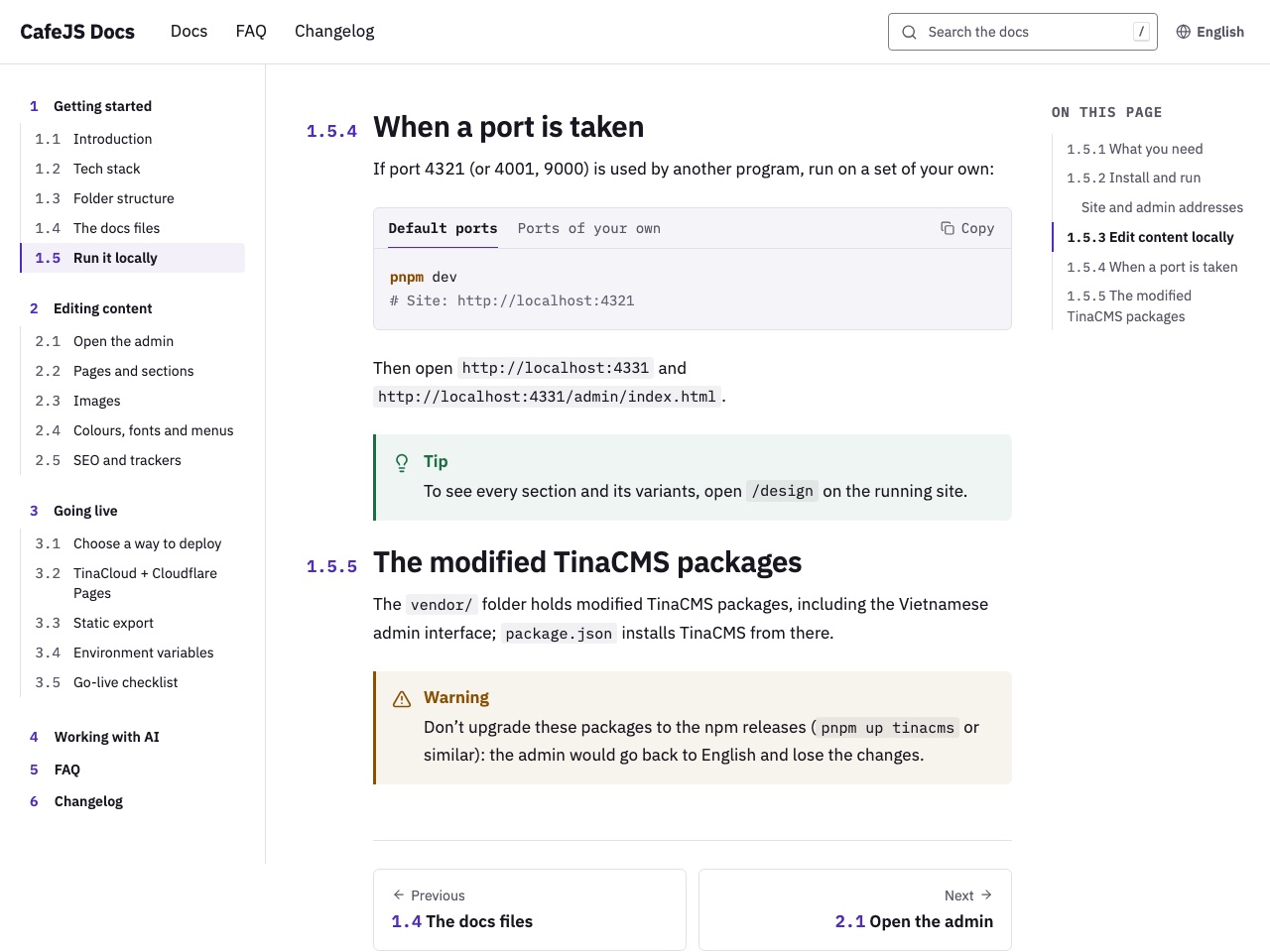
Section 1.5.4 When a port is taken: a code block with two tabs and a Copy button, a Tip callout, a Warning callout and the Previous 1.4 and Next 2.1 buttons

Code blocks, callouts and tabs

Code is highlighted when the site is built, so readers download no highlighting library; every block has a label (a file name or Terminal) and a Copy button. There are four callouts, Note, Tip, Warning and Danger; tabs switch in place and remember the choice for every other tab group. All of them are written in the content field of the admin.

Features

What comes with it

Docs pages

  • Three columns on a computer: a multi-level sidebar, the content and the page's outline; every page has a number, breadcrumbs, a lead paragraph and Previous / Next buttons
  • The sidebar comes from the Docs menu, with the order of groups and pages edited in the admin; on a phone it becomes a drawer that shows the page being read
  • An outline from the h2/h3 headings that marks the section being read; on a phone it folds up at the top of the page
  • Tables scroll sideways on a phone; screenshots inside the text

Search

  • An index built with the site for each language, with no server or outside service
  • A large search box on the home page with common searches, a search button in the header, and the / and Ctrl/⌘ K shortcuts
  • Matches without Vietnamese accents; results grouped by page lead straight to the right section; arrow keys and Enter to pick, Esc to close
  • A search button on the 404 page

Writing technical docs

  • Code blocks highlighted at build time (shell, JSON, TypeScript, CSS, .env), with a label and a Copy button
  • Note, Tip, Warning and Danger callouts
  • Tabs that switch in place and remember the choice; tabs holding only code sit on the code block's own bar
  • A changelog: every release has a version number, a date and lines tagged New / Fixed / Removed; the home page shows the latest one; releases are added under Changelog in the admin

Pages and content

  • 19 pages per language: home, 15 docs pages in three groups, Working with AI, FAQ and Changelog
  • The sample content is the real documentation of the CafeJS templates, from running locally to going live
  • An FAQ of 11 questions in three groups and a changelog of 9 releases
  • No shop and no public contact details; the home page has two ways in, for site owners and for developers

Languages, SEO and editing

  • Vietnamese and English on matching paths; the language switch keeps visitors on the same page
  • A title and description for every page, hreflang and a sitemap; structured data (JSON-LD) for breadcrumbs and the FAQ
  • IBM Plex Sans for text, IBM Plex Mono for code, one violet accent; three colour schemes chosen per section
  • Content edited in the Tina admin with a preview that updates as you type; the admin interface is in Vietnamese

Pages in the template

The pages, each opens on the demo

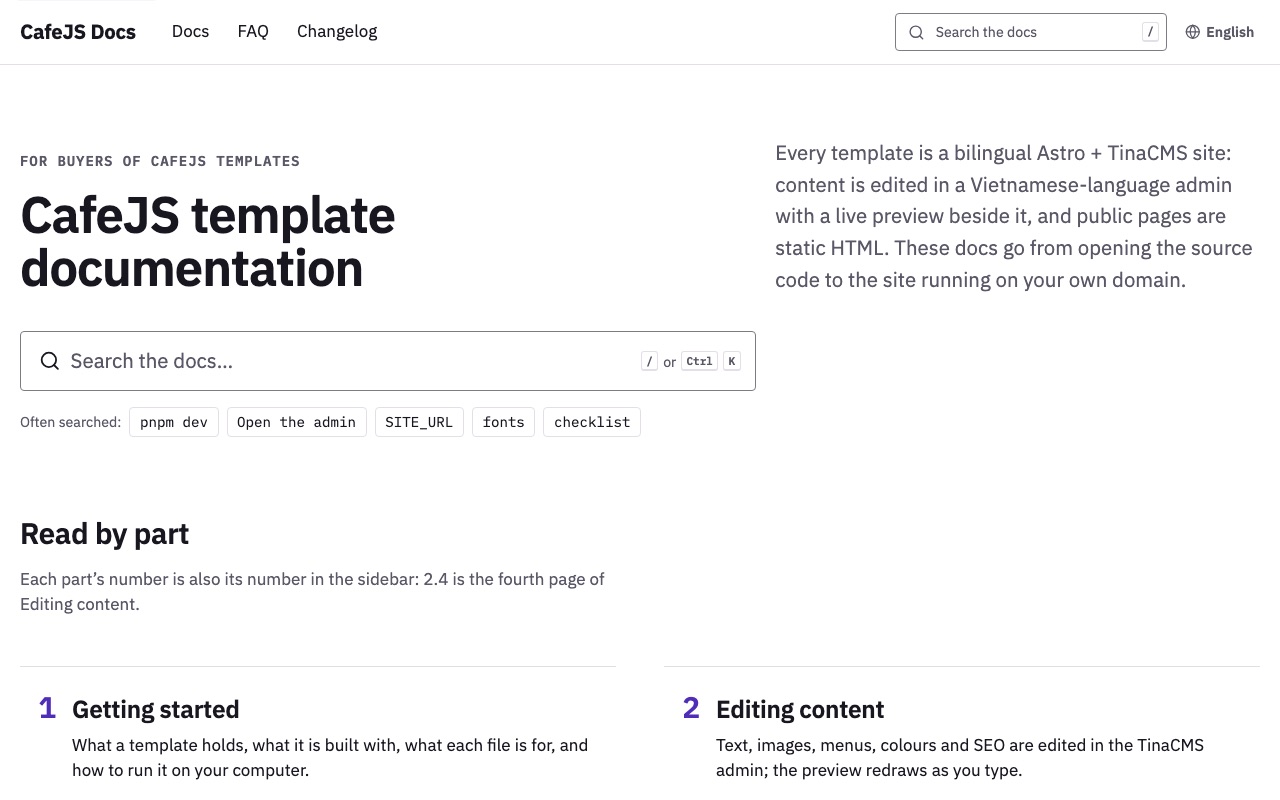
  • Home page of the Docs site template
    /en

    Home

    A heading, a large search box with common searches, four numbered parts leading into each group of pages, two ways in for site owners and developers, often-opened pages and the latest changelog release.

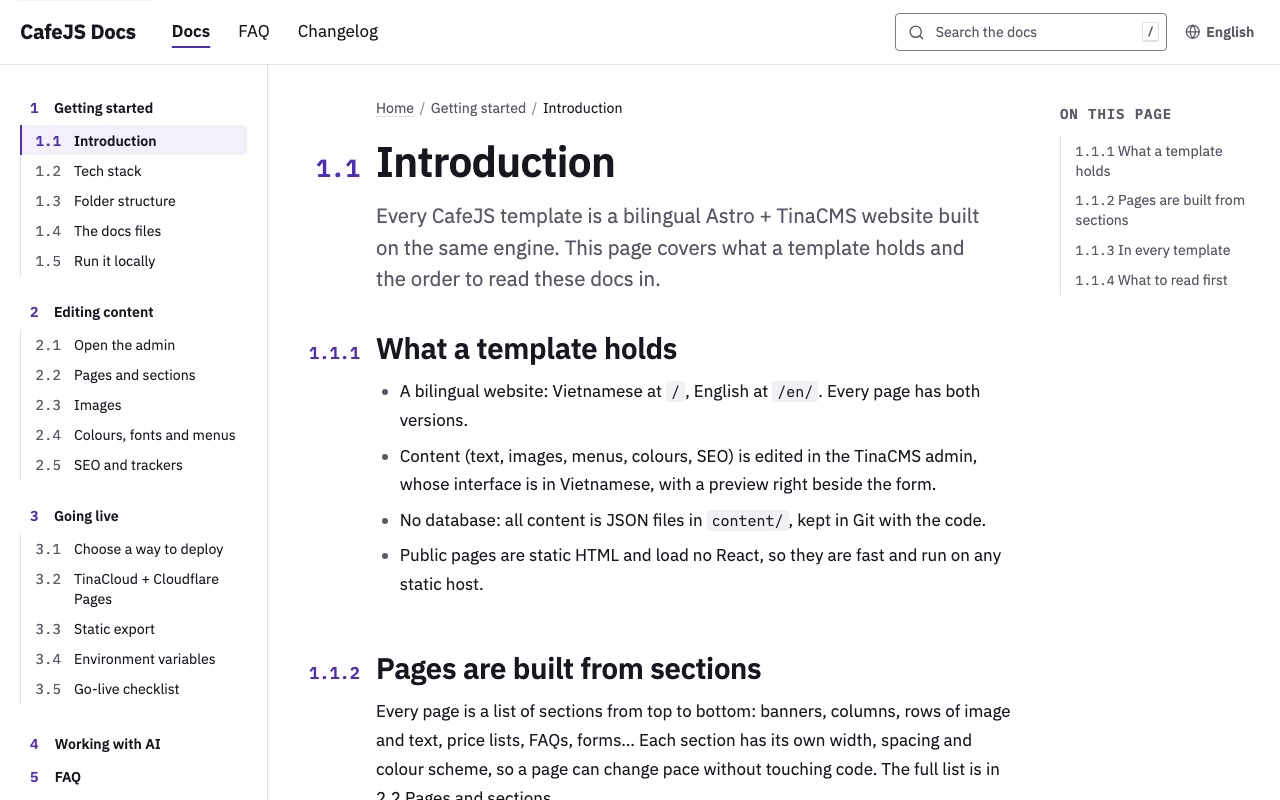
  • Introduction page of the Docs site template
    /en/bat-dau/gioi-thieu

    Introduction

    Page 1.1: what a template holds, pages built from sections, what every template has and the order to read the docs in.

  • /en/bat-dau/cong-nghe

    Tech stack

    Page 1.2: the stack at a glance, static pages with React only in the admin, content as JSON files and the code checks.

    Open on the demo (opens a new tab)

  • Run it locally page of the Docs site template
    /en/bat-dau/chay-tren-may

    Run it locally

    Page 1.5: what you need, installing and running with two commands, editing content locally, running when a port is taken and the modified TinaCMS packages.

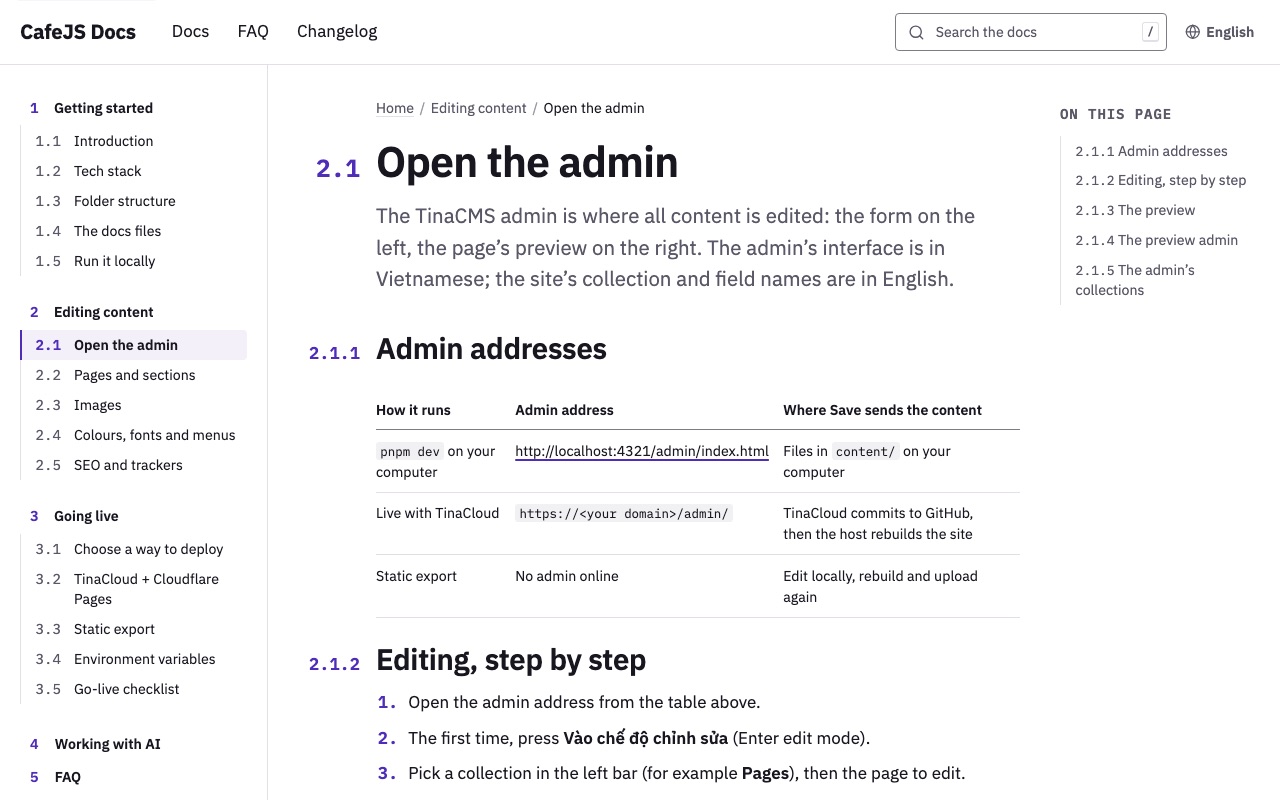
  • Open the admin page of the Docs site template
    /en/sua-noi-dung/mo-admin

    Open the admin

    Page 2.1: the admin's address for each way of running the site, the editing steps, the preview, the preview admin and the admin's collections.

  • /en/sua-noi-dung/trang-va-section

    Pages and sections

    Page 2.2: the sections on offer, the four fields every section shares, adding a page, and the header, footer and announcement bar.

    Open on the demo (opens a new tab)

  • /en/sua-noi-dung/mau-font-menu

    Colours, fonts and menus

    Page 2.4: changing the colours, the fonts and type size and the brand name, and editing the menus, without touching code.

    Open on the demo (opens a new tab)

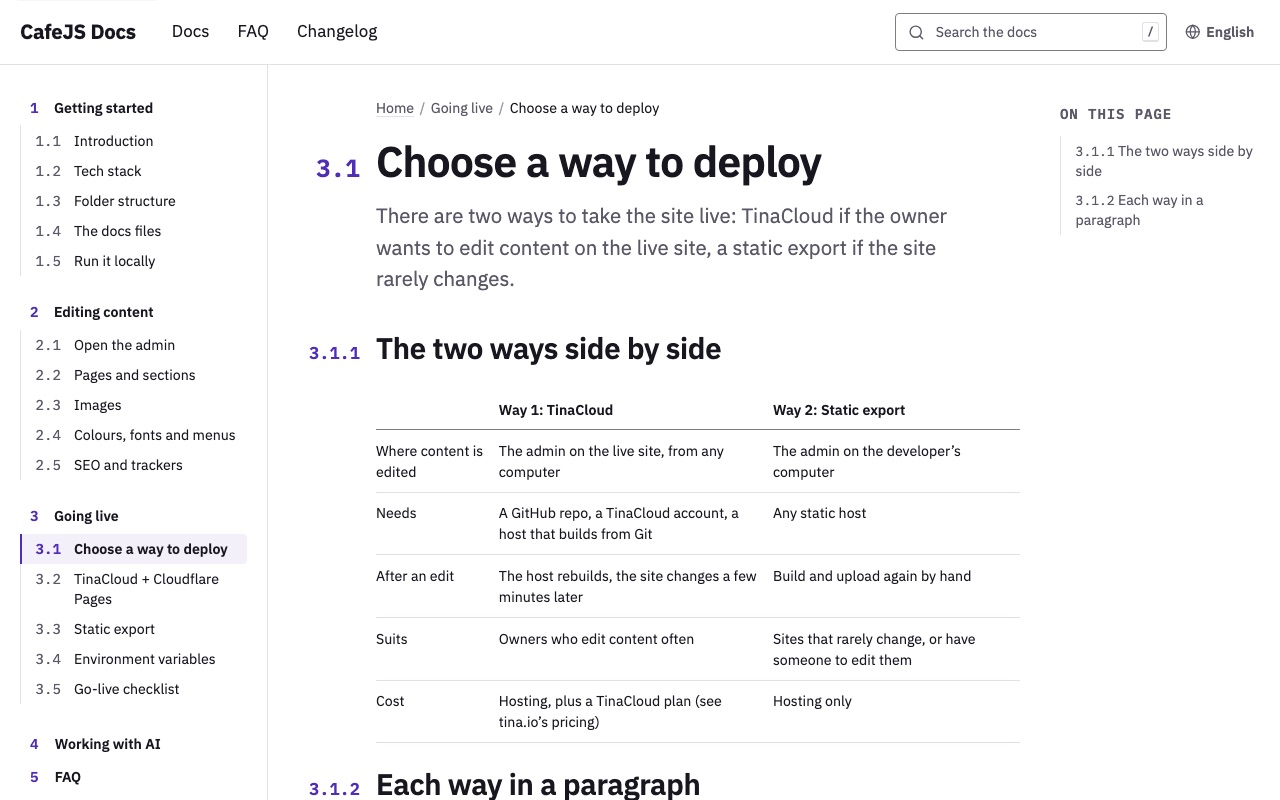
  • Choose a way to deploy page of the Docs site template
    /en/dua-len-mang/chon-cach

    Choose a way to deploy

    Page 3.1: a table comparing TinaCloud with a static export, and each way in one paragraph, set in two tabs.

  • /en/dua-len-mang/tinacloud

    TinaCloud + Cloudflare Pages

    Page 3.2: seven steps, from pushing the code to GitHub, a TinaCloud project, Cloudflare Pages and the domain to inviting the people who edit content.

    Open on the demo (opens a new tab)

  • /en/dua-len-mang/checklist

    Go-live checklist

    Page 3.5: what must be done for content, the build, SEO and trackers before visitors arrive.

    Open on the demo (opens a new tab)

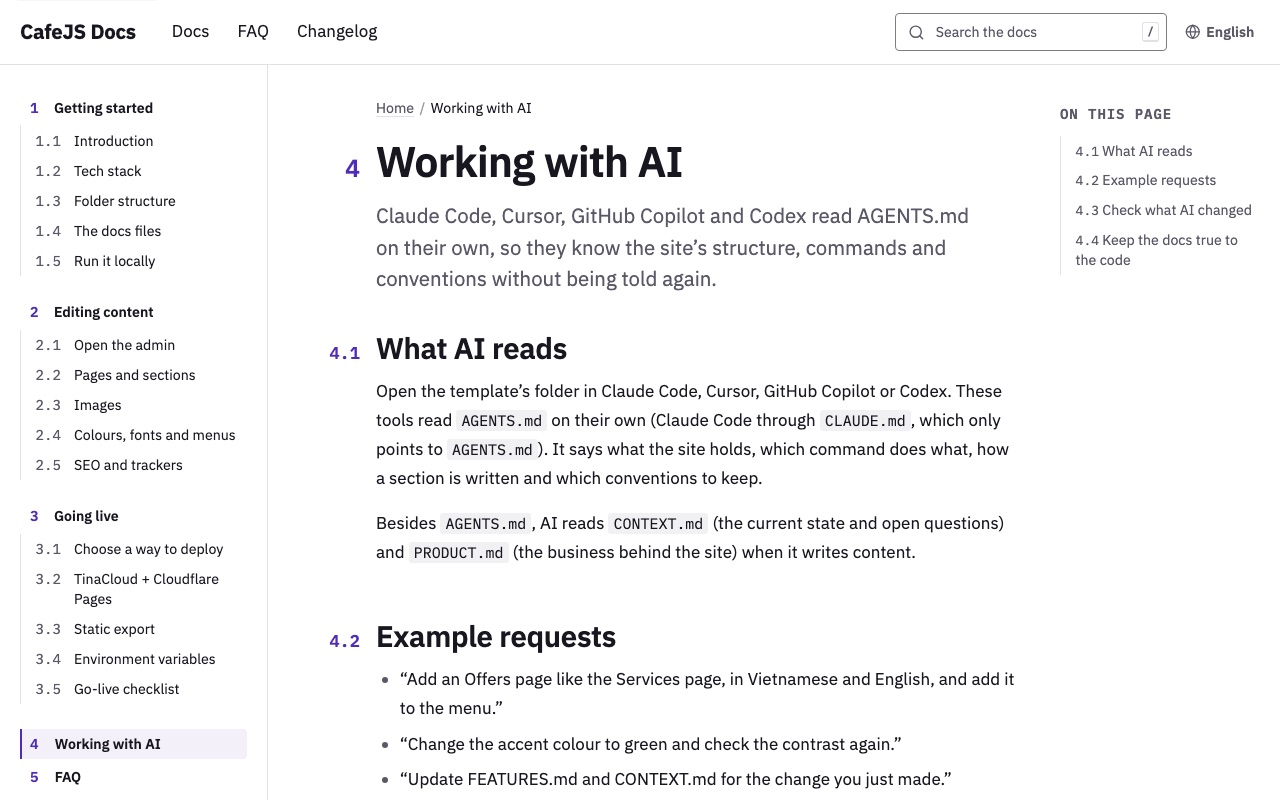
  • Working with AI page of the Docs site template
    /en/lam-viec-voi-ai

    Working with AI

    Page 4: which files AI reads, example requests, checking AI's changes and keeping the docs true to the code.

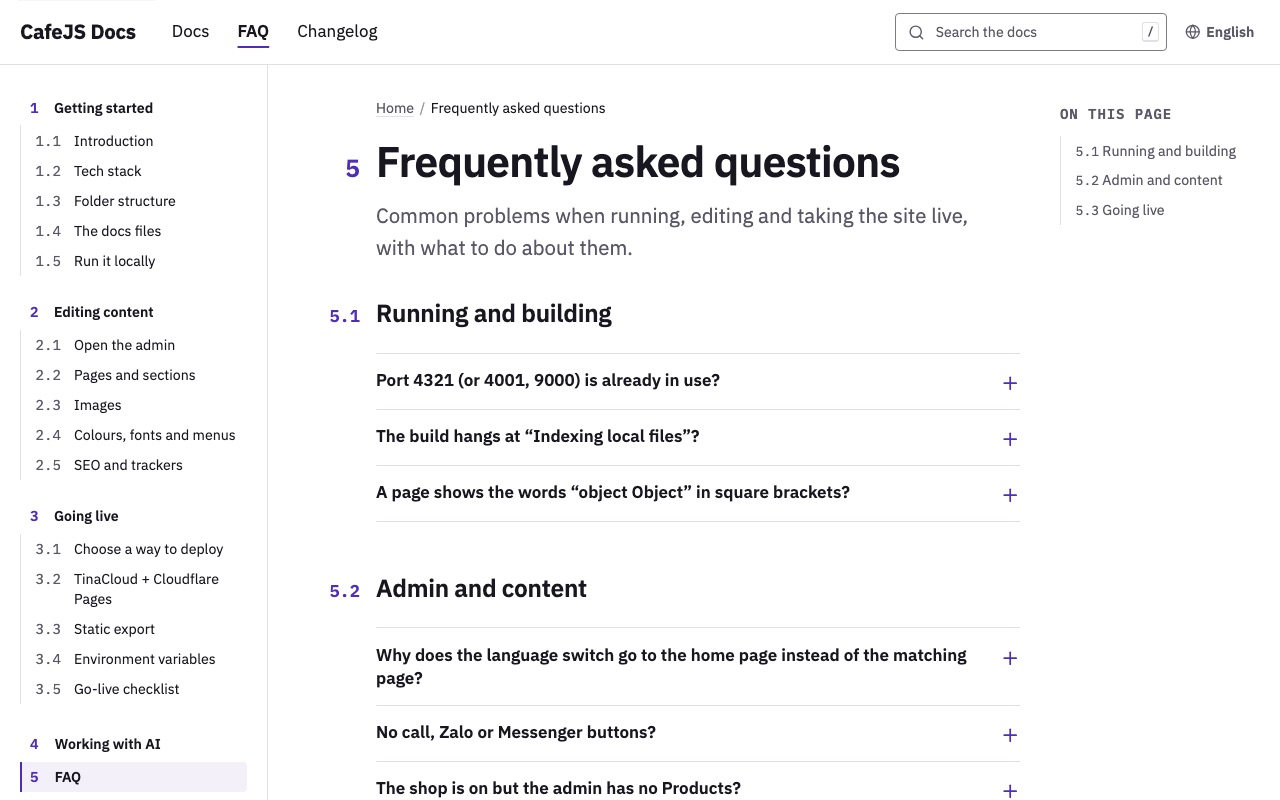
  • FAQ page of the Docs site template
    /en/hoi-dap

    FAQ

    Page 5: 11 questions in three groups, running and building, admin and content, going live, each opening to its answer.

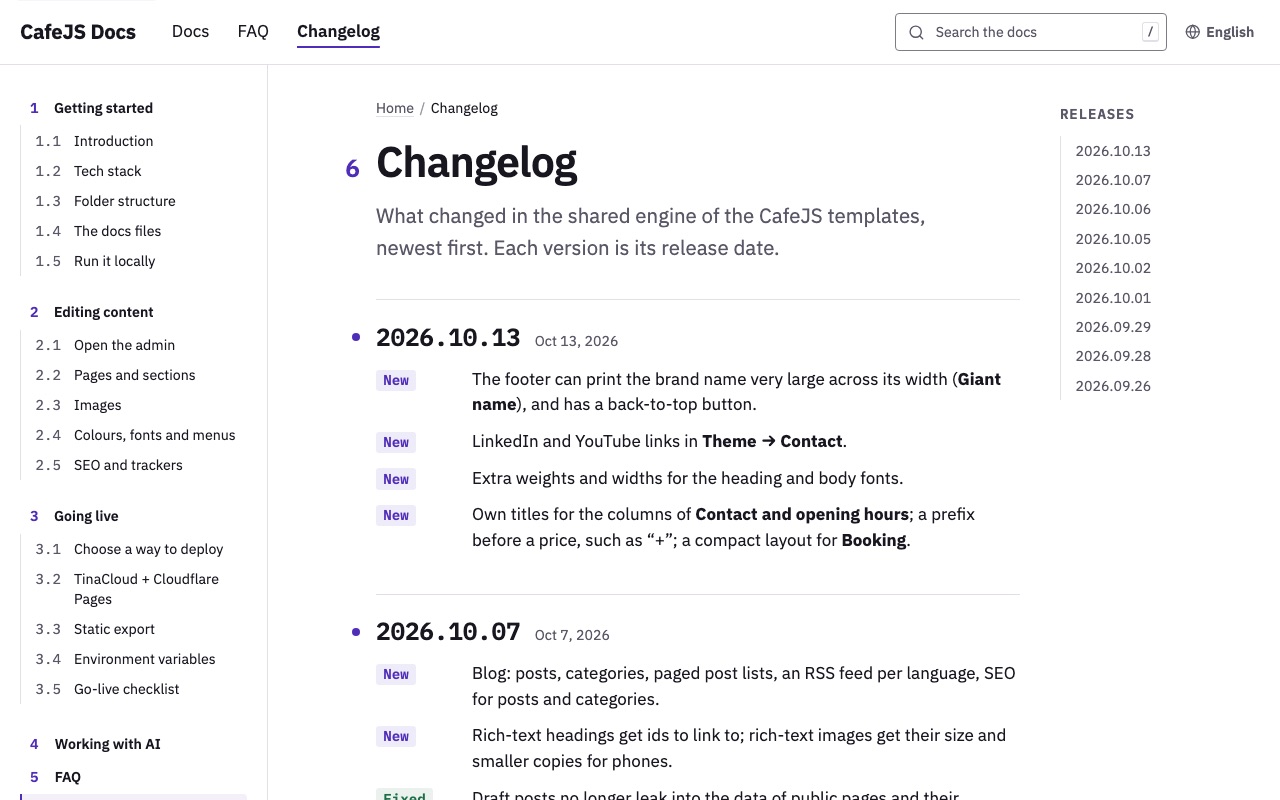
  • Changelog page of the Docs site template
    /en/nhat-ky-thay-doi

    Changelog

    Page 6: nine releases, newest first, each with a version number, a date and lines tagged New, Fixed, Removed; the right-hand column lists the releases.

Standards and docs

Shared standards and docs for AI

The 11 shared standards we use to check templates, from working well on phones to docs for AI, are in the FAQ on the Templates page.

The template's source code comes with nine doc files, such as AGENTS.md (the site's handbook for AI), HUONG-DAN-SU-DUNG.md (the guide for whoever edits the content, in Vietnamese) and DEPLOY.md (how to put the site online). AI agents read them to understand the site, then edit it as you ask.

Buy the docs site template

Readers find the answer without asking

This template has a numbered sidebar, search that runs on the static pages, code blocks and a changelog. Buy the source code with a workflow for going live, docs for whoever edits the site and for AI agents; if you would rather not host it yourself, we offer hosting.

CafeJS concierge

Ask about a template

Hi, I’m the CafeJS concierge. I can help you choose a template by trade, see what it includes and understand how buying works. The only price I can give here is a template’s source code; other services are discussed once you leave your details on the contact form.