Skip to content

Developer portfolio

Suits: developers, freelancers and frontend engineers who need a bilingual portfolio website to send as a link to recruiters or clients

Try the editor (opens a new tab)Edit the content as the site owner would, no sign-in needed; changes are not saved.

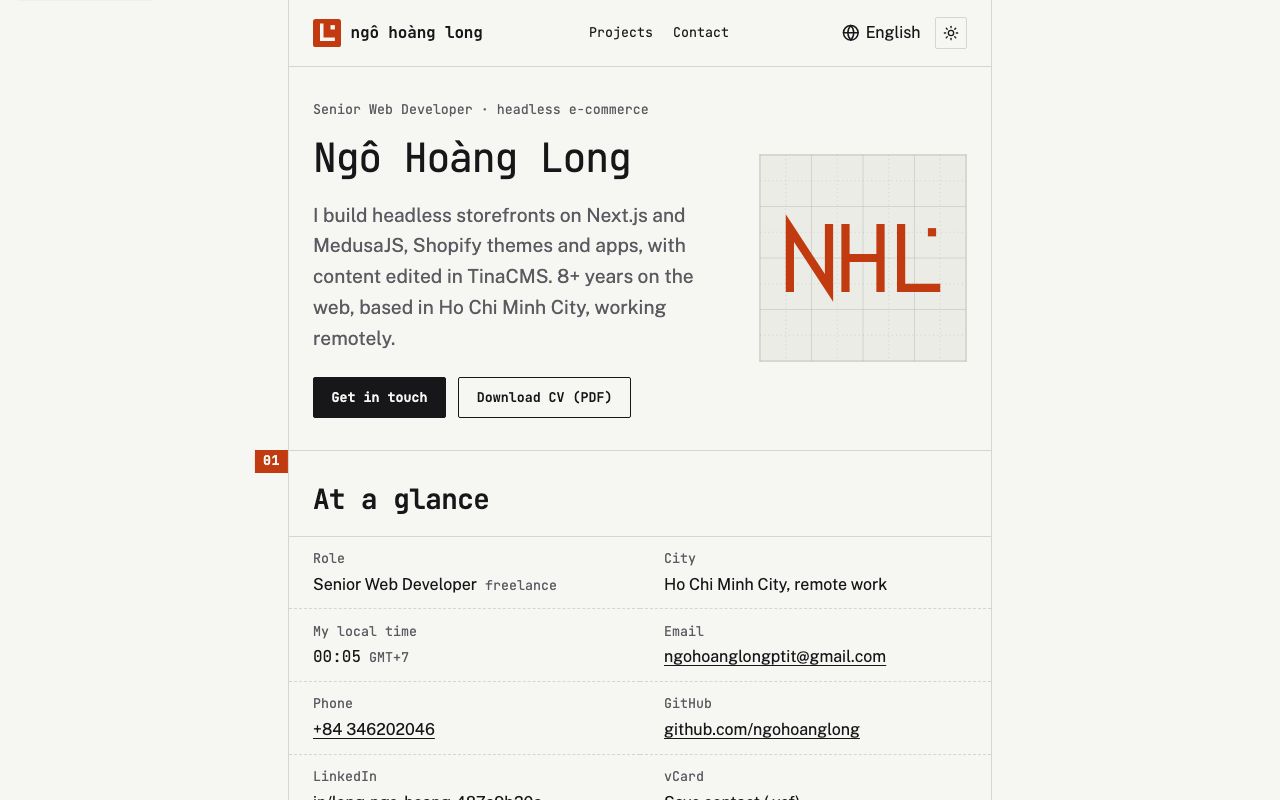
Home page of the Developer portfolio template
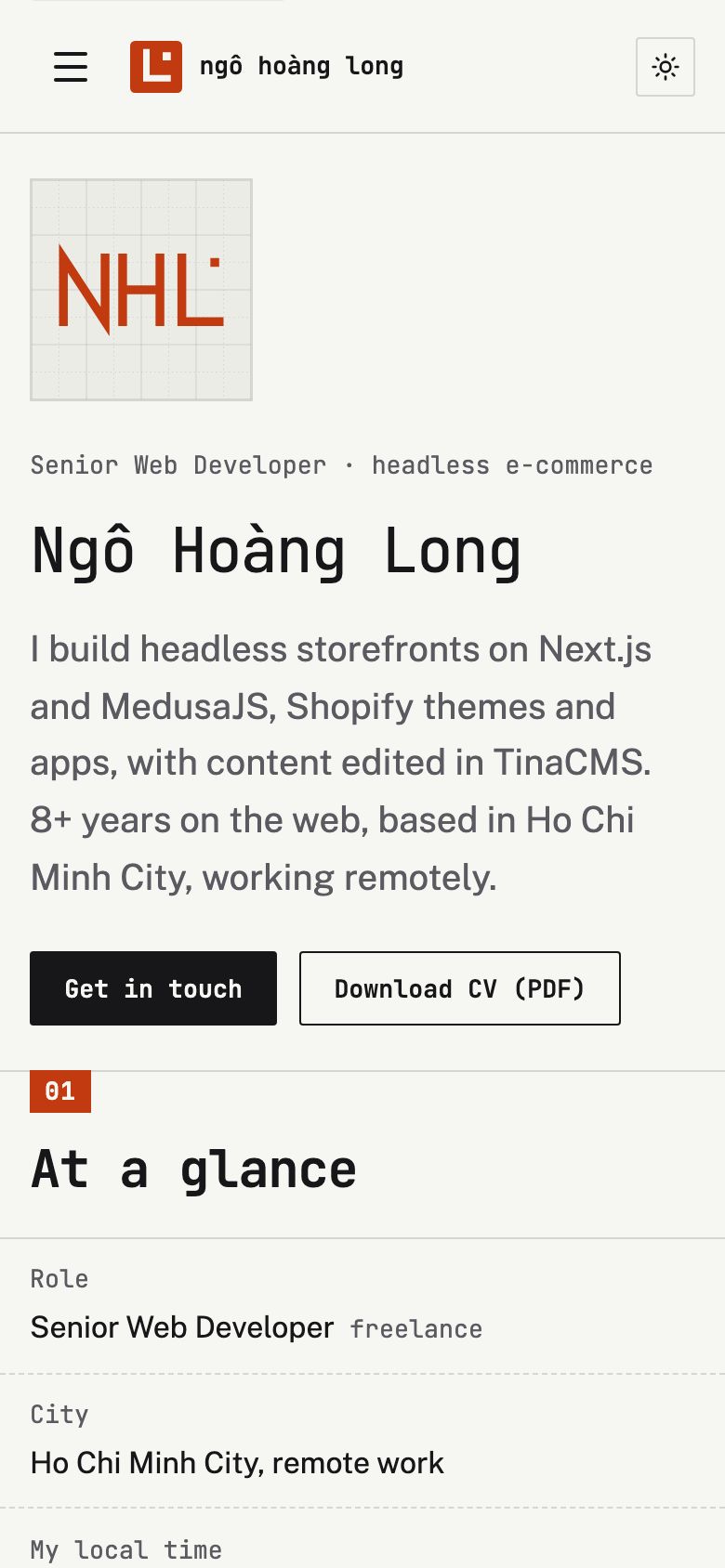
Developer portfolio template home page on a phone, the NHL monogram above the name and the Get in touch and Download CV buttons

Screenshots of the live demo. Tap "View demo" to open the real thing.

What the template solves

A developer portfolio template that answers the first three questions visitors ask

Each card is something a recruiter or client wants to know when they open your portfolio, and the part of the template that answers it.

  • Who you are and how to reach you

    The first screen has your name, role, a short introduction, a Get in touch button and a CV button. Right below sits the At a glance block: city, email, phone, GitHub, LinkedIn, a vCard to save to the address book, and a local clock so a client in another time zone knows when to message you. There is no form; visitors reach you through the email, phone or LinkedIn links.

  • What you can do

    The Stack section splits the technologies into groups, each one a chip with an icon, so visitors spot what they are looking for straight away. Four key figures sit in a 2×2 grid. The Experience section gives the period, title, company and a "current" label, and tucks the work done into a disclosure that opens when needed; education works the same way.

  • What you have built

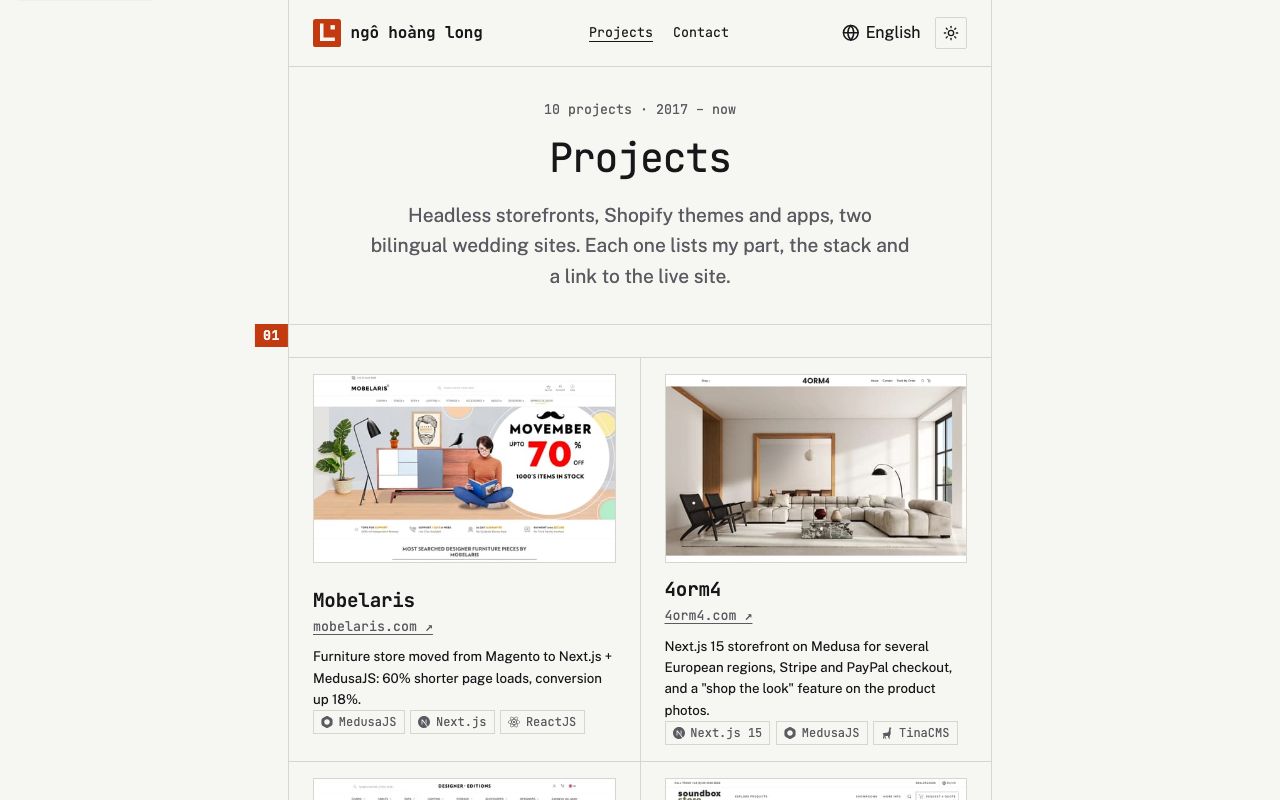
    Each project has its own page: the live site, your part, the stack, a screenshot, the write-up and the previous / next project. The Projects page lays them out as a grid of cards with screenshots and technology tags; the demo has 10 projects. Adding a project means creating it in the Tina admin and then creating its page, since the admin does not make the page for you.

Strengths

Why this template

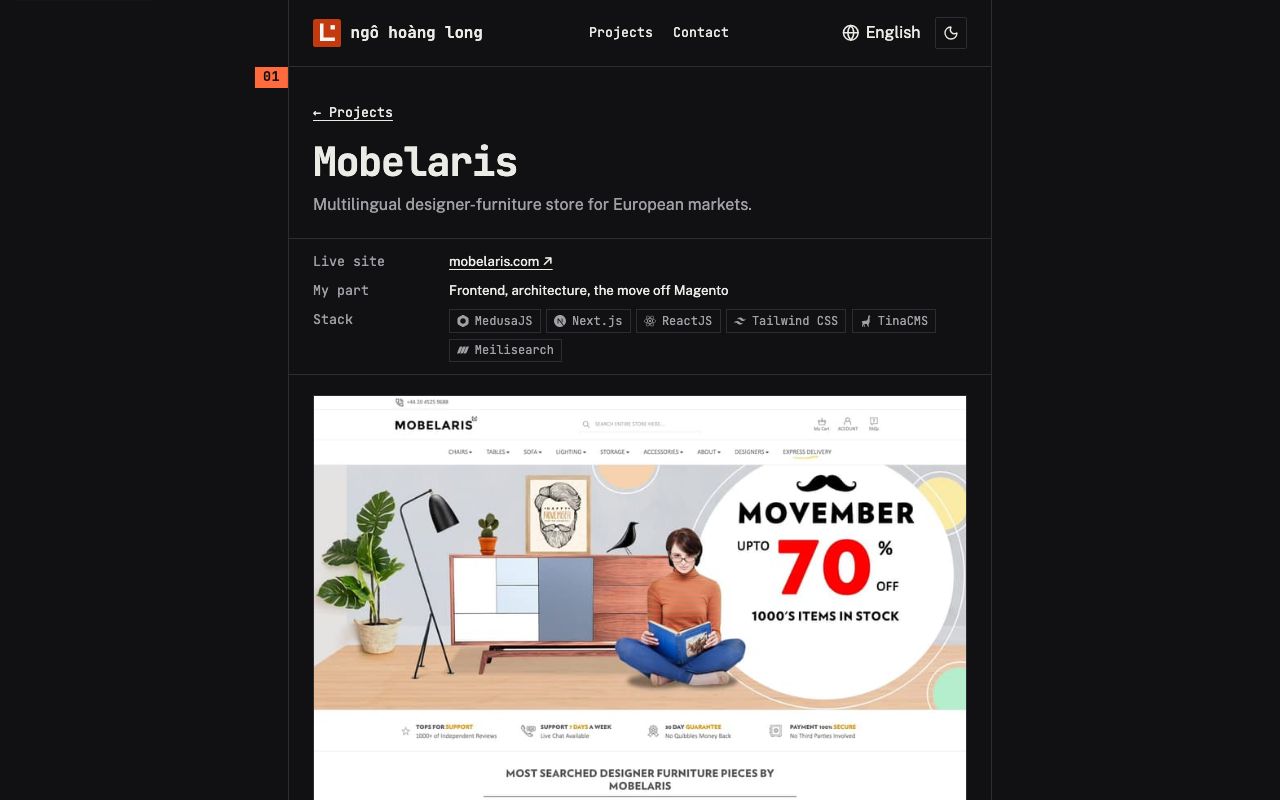
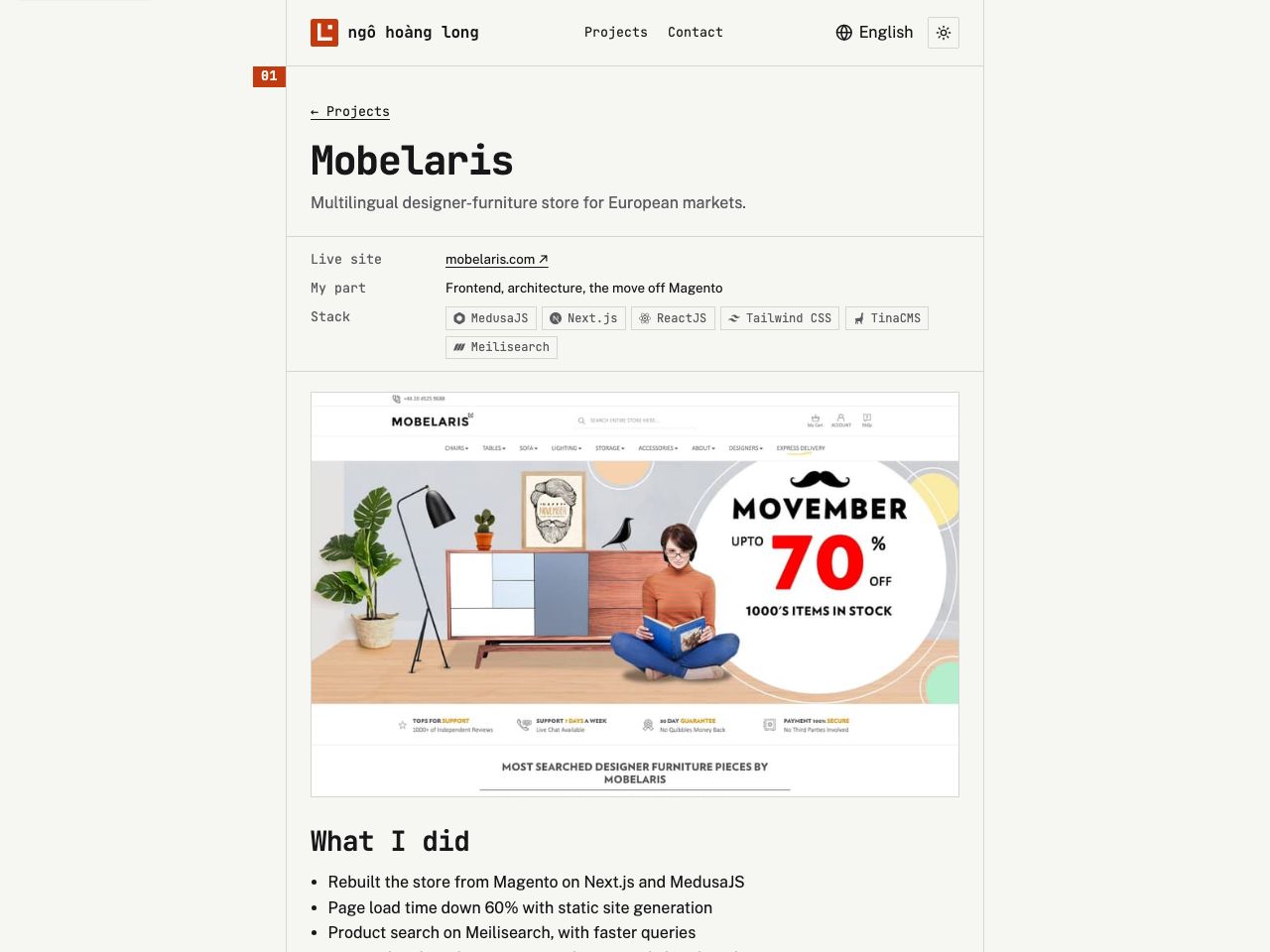
Mobelaris project page: a ← Projects link, the name, a description, rows for Live site, My part and Stack with MedusaJS, Next.js, ReactJS, Tailwind CSS, TinaCMS and Meilisearch chips, a screenshot of the site and the work done

Every project tells its story on a page

Visitors see more than a project's name. Each project opens into its own page with the live site, your part, the stack, a screenshot, the write-up and the previous / next project. The Projects page lays them all out as a grid of cards with a screenshot, the live address, a summary and technology tags. Projects are a collection in the Tina admin.
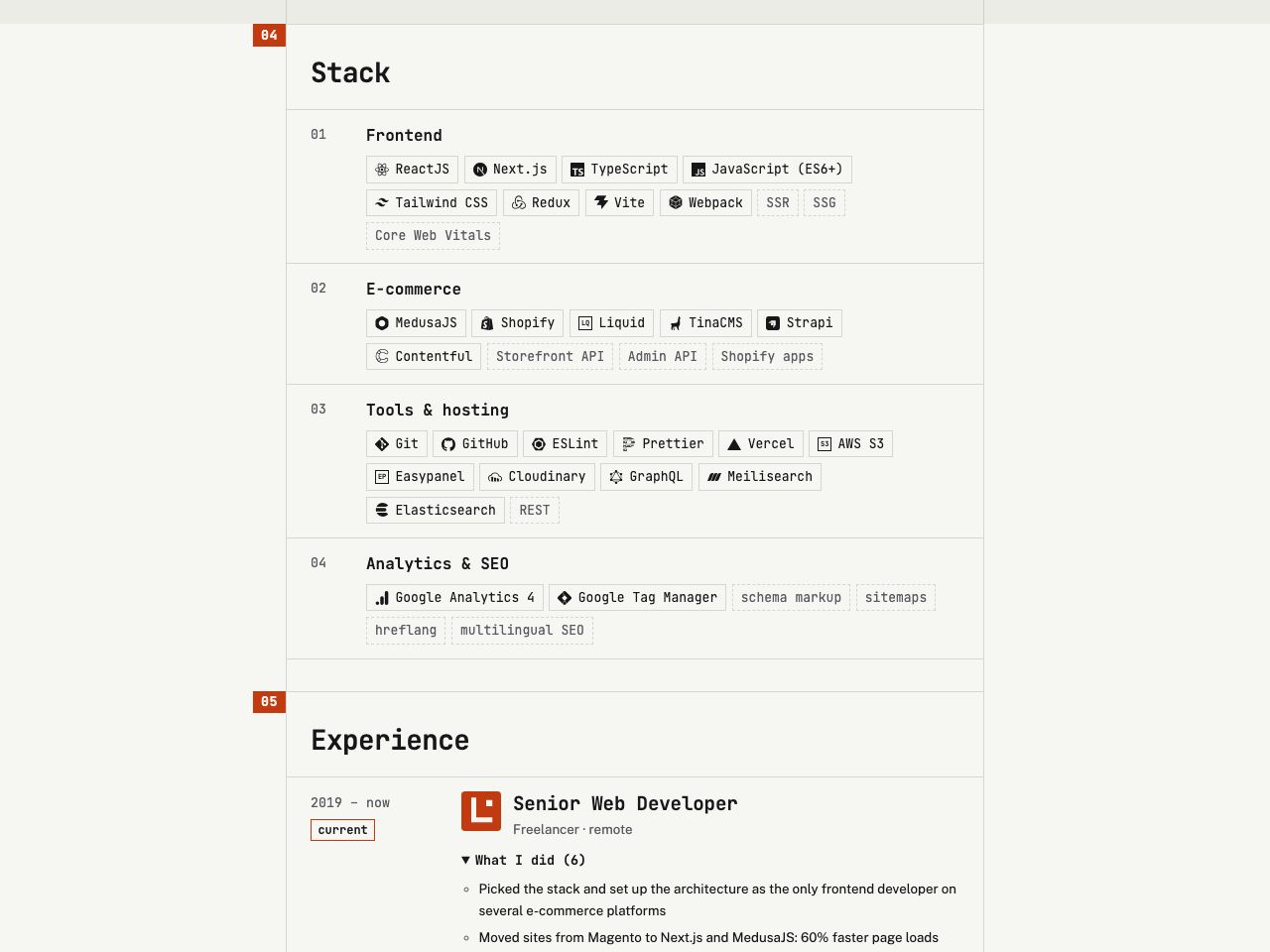
Section 04 Stack with four groups, Frontend, E-commerce, Tools & hosting, Analytics & SEO, each a row of chips with icons such as ReactJS, Next.js, Shopify, TinaCMS, GitHub, Vercel, Google Analytics 4

A stack read at a glance

The technologies sit in numbered groups, each one a chip with a one-colour icon, so a visitor sees what you work with in one pass. Concepts such as SSR or Core Web Vitals are dashed chips without an icon. The tags on the project cards use the same icons.

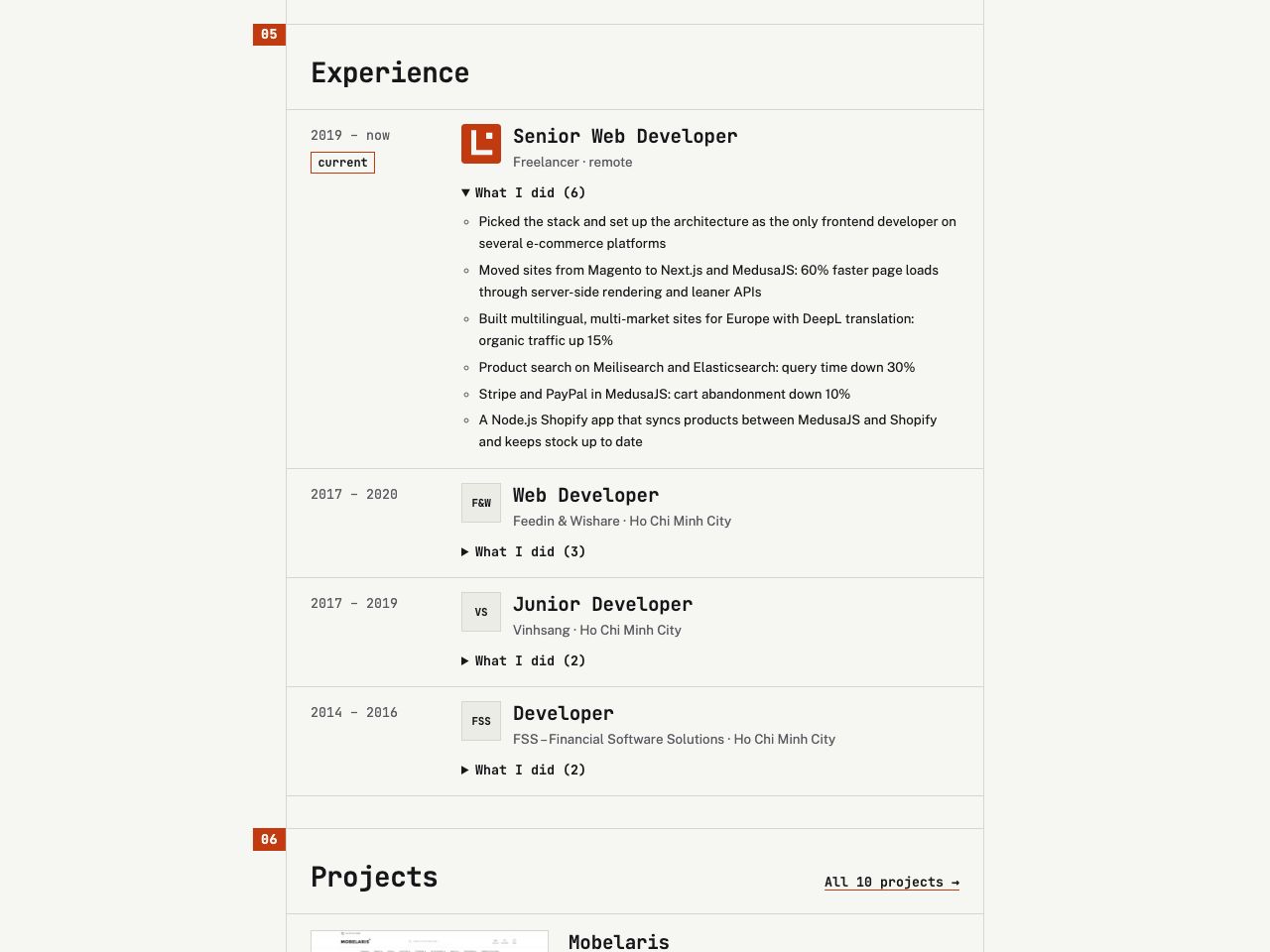
Section 05 Experience: the Senior Web Developer role since 2019 with a current label and its six items open, then three earlier roles with F&W, VS and FSS lettermark tiles and their work done closed

Experience kept short, opened when needed

Each role gives the period, title, company and place, with a logo or lettermark tile and a "current" label. The work done sits in a disclosure that opens by mouse or keyboard, with no JavaScript; the first role is open and earlier ones are folded. Education uses the same section.

Features

What comes with it

Profile on the home page

  • A banner with the name, role, introduction, Get in touch and CV buttons, and a monogram instead of a portrait
  • At a glance: role, city, email, phone, GitHub, LinkedIn, vCard and a local clock
  • Four key figures, a grouped stack with icons, experience and education
  • A contact block at the end, no form

Projects

  • A Projects collection in the Tina admin: name, summary, description, live site, your part, stack, screenshot
  • A Projects page with a card grid, and a selected project list on the home page
  • A page for each project, with previous / next; a project without a screenshot gets a lettermark tile

Look and languages

  • One column between two thin rules, vermilion section numbers cut into the rule
  • Light and dark mode across the site, remembering the visitor's choice
  • Vietnamese and English, every page in both
  • A blog ready to use, hidden from the menu until it has posts

SEO and editing

  • Per-page titles and descriptions, Open Graph, hreflang, sitemap and Person structured data (JSON-LD)
  • A vCard for the address book
  • Content edited in the Tina admin with a preview that updates as you type; the admin interface in Vietnamese

Pages in the template

The pages, each opens on the demo

  • Home page of the Developer portfolio template
    /en/

    Home

    Profile banner, at-a-glance facts, introduction, figures, stack, experience, projects, education and contact.

  • Projects page of the Developer portfolio template
    /en/projects/

    Projects

    A grid of 10 projects, each card with a screenshot, the live address, a summary and technology tags.

  • Mobelaris project page of the Developer portfolio template in dark mode
    /en/projects/mobelaris/

    Project page

    The live site, your part, the stack, a screenshot, the work done and previous / next project (shown in dark mode).

FAQ

Good to know before you buy

How is this different from the CV and portfolio template?

The CV and portfolio template is built around an A4 CV: when printed, each role sits whole on one page, and there is a button to download a PDF made at build time. This template is one long profile page meant to be read on screen, with quick facts and a local clock, a stack with icons, a page for every project, light and dark mode and a vCard, but it does not print a PDF itself. If you need a CV file to send and print, pick CV and portfolio; if you need one link that introduces you and your projects, pick this one.

Is there a button to download the CV as a PDF?

There is no PDF file yet. The CV button in the banner, the contact block at the end and the footer opens a CV page on another site, and the template does not make a PDF itself. The button's link is edited in the Tina admin like any other button, so you point it at your own CV.

How do I add a project? Does it pull from GitHub?

It does not pull from GitHub. For each language, you create the project in the Tina admin's Projects collection (name, summary, live site, your part, stack, screenshot), then create the project's page in Pages and pick the project you just made; the admin does not create the page for you. A project without a screenshot or a live site still shows, with a lettermark tile instead of the picture.

The demo profile is a real person. How do I replace it?

The name, contacts, home page, menu, header and footer are all edited in the Tina admin. The vCard is a file in the source code, which you edit in a text editor. The user guide that comes with the template has a section on replacing the personal details (in Vietnamese), listing every place to change and a command that finds any leftover text from the old profile.

Does it have a contact form or a portrait photo?

No. Visitors reach you through the email, phone, LinkedIn and GitHub links and the vCard. The banner uses a lettermark monogram instead of a portrait. The template also has no client testimonials and no GitHub contribution chart.

There are free ways to make a portfolio. Why buy this one?

If a ready-made page is enough for you, use it. This template is for people who want to own the source code: you get the source of the exact site running in the demo, with docs for AI, and host it yourself or use our hosting service. Content is edited in the Tina admin, in Vietnamese and English, and the public pages are static HTML. Leave your details on the contact page and we will send you a quote.

Standards and docs

Shared standards and docs for AI

The 11 shared standards we use to check templates, from working well on phones to docs for AI, are in the FAQ on the Templates page.

The template's source code comes with nine doc files, such as AGENTS.md (the site's handbook for AI), HUONG-DAN-SU-DUNG.md (the guide for whoever edits the content, in Vietnamese) and DEPLOY.md (how to put the site online). AI agents read them to understand the site, then edit it as you ask.

Buy the portfolio template

A portfolio to send as a link to recruiters and clients

Buy this template's source code, with the steps to put the site online and docs for whoever edits it and for AI agents. If you would rather not host it yourself, we offer hosting.

CafeJS concierge

Ask about a template

Hi, I’m the CafeJS concierge. I can help you choose a template by trade, see what it includes and understand how buying works. The only price I can give here is a template’s source code; other services are discussed once you leave your details on the contact form.